User registration is a fundamental feature that allows individuals to create accounts or profiles for the event.
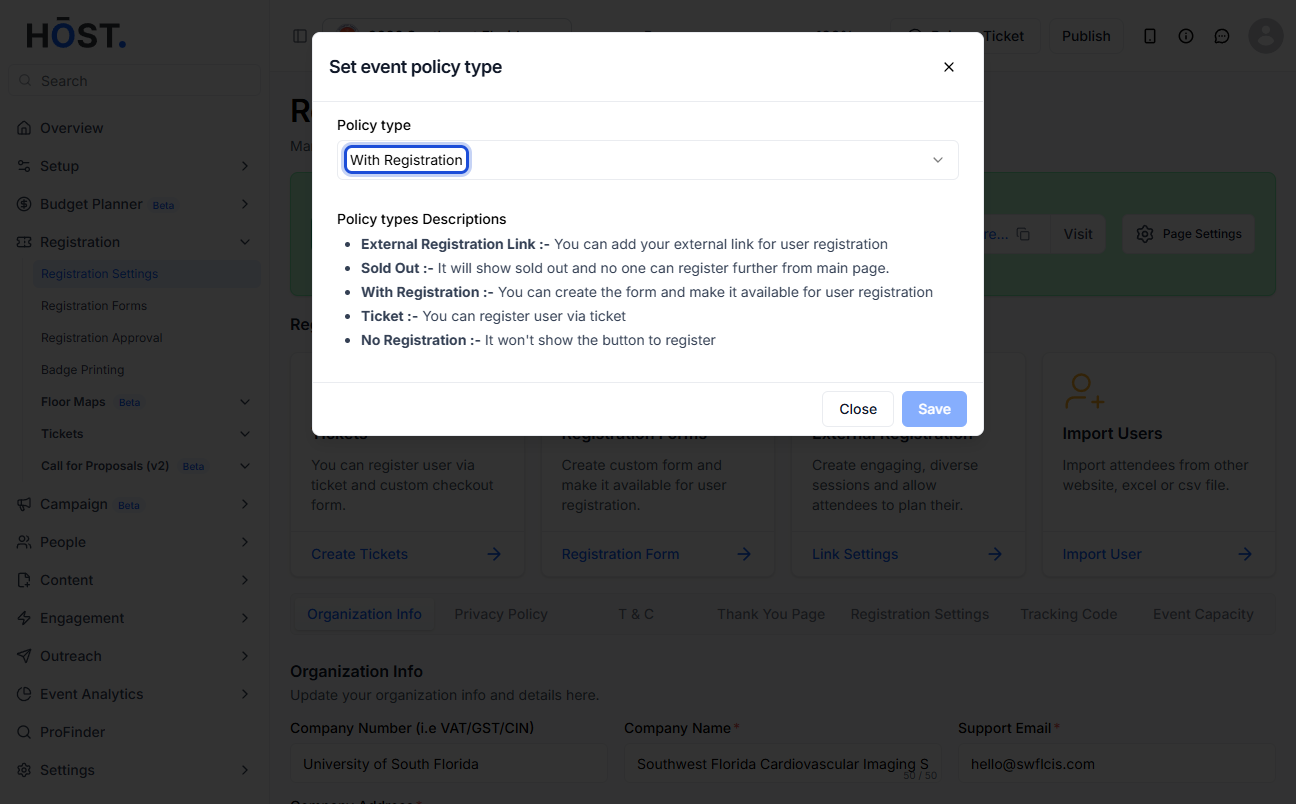
For delivering a seamless experience to your audience, HOST offers five types of policies. Each type serves a specific purpose and will help you to manage attendee registrations effectively.
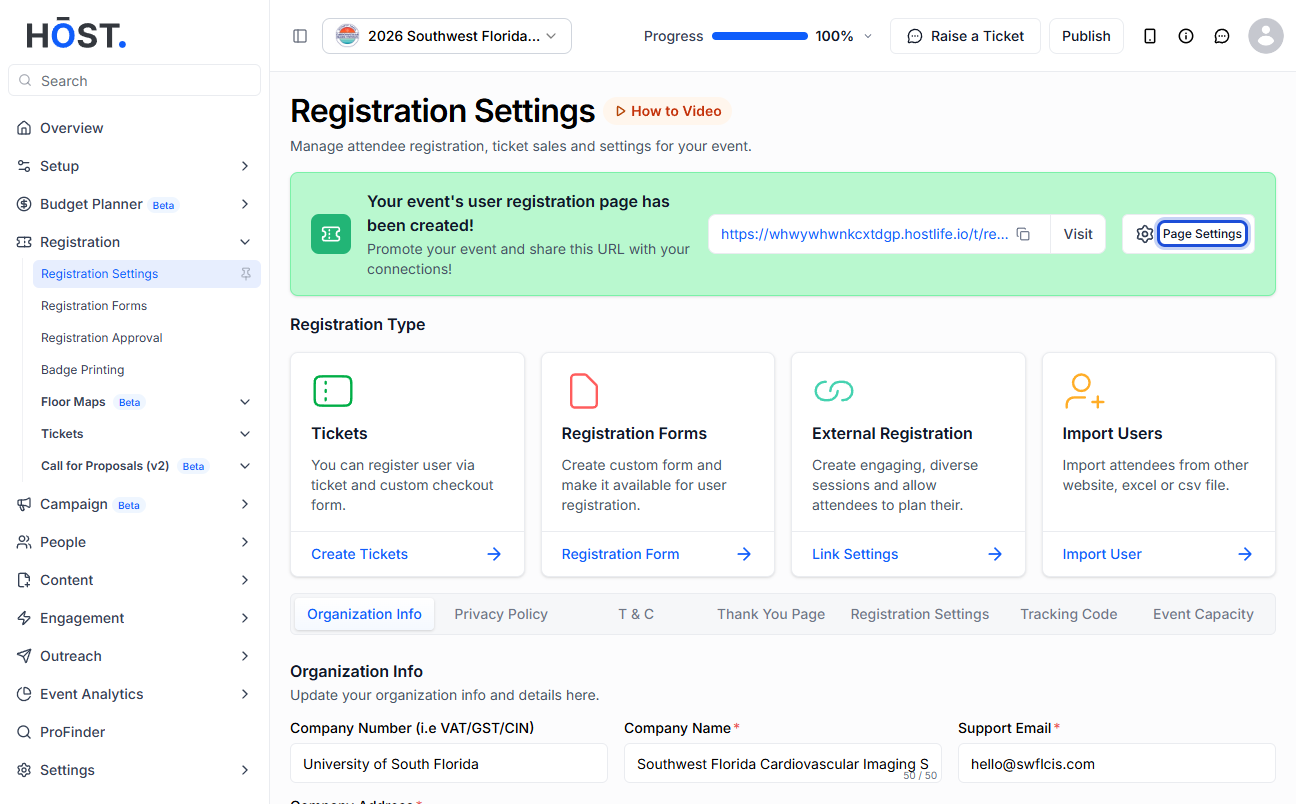
1: Go to Registration > Registration Settings and open “Page Settings” to set up the registration type.
2: Choose a Policy type and click “Save” to apply it. HOST offers: With Registration, With Ticket, No Registration, Sold Out, and External Registration.
3: The overview page changes to match: “With Registration” creates a registration page (a “Register Now” button), “With Ticket” creates a ticket page (a “Buy Tickets” button), “No Registration” and “Sold Out” show neither button, and “External Registration” sends users to your external URL via the “Register” button.

