Customize your abstract collection form to perfectly fit your needs with the admin panel. Let's dive into the steps for designing a form tailored to your requirements.
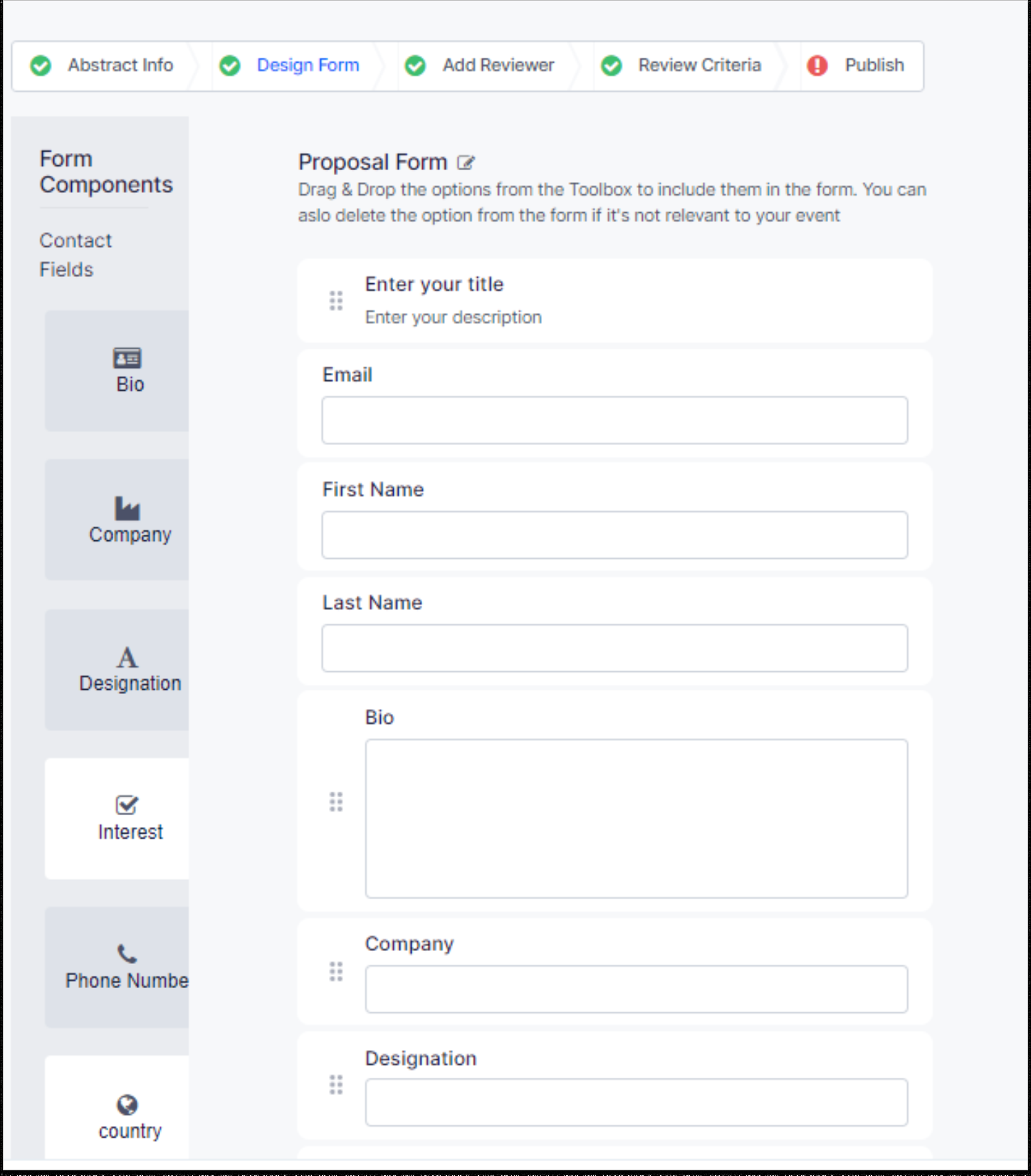
Access the HOST Admin Panel at https://app.hostlife.io/login and navigate to Abstract Management >> Abstract Wizard. You will see the Design Form as the second tab. You can customize this form as per your requirement. Here is how you can customize the form:
Select Field Types: On the right panel you will see several form components for your use. You can drag and drop the form components on the form area.
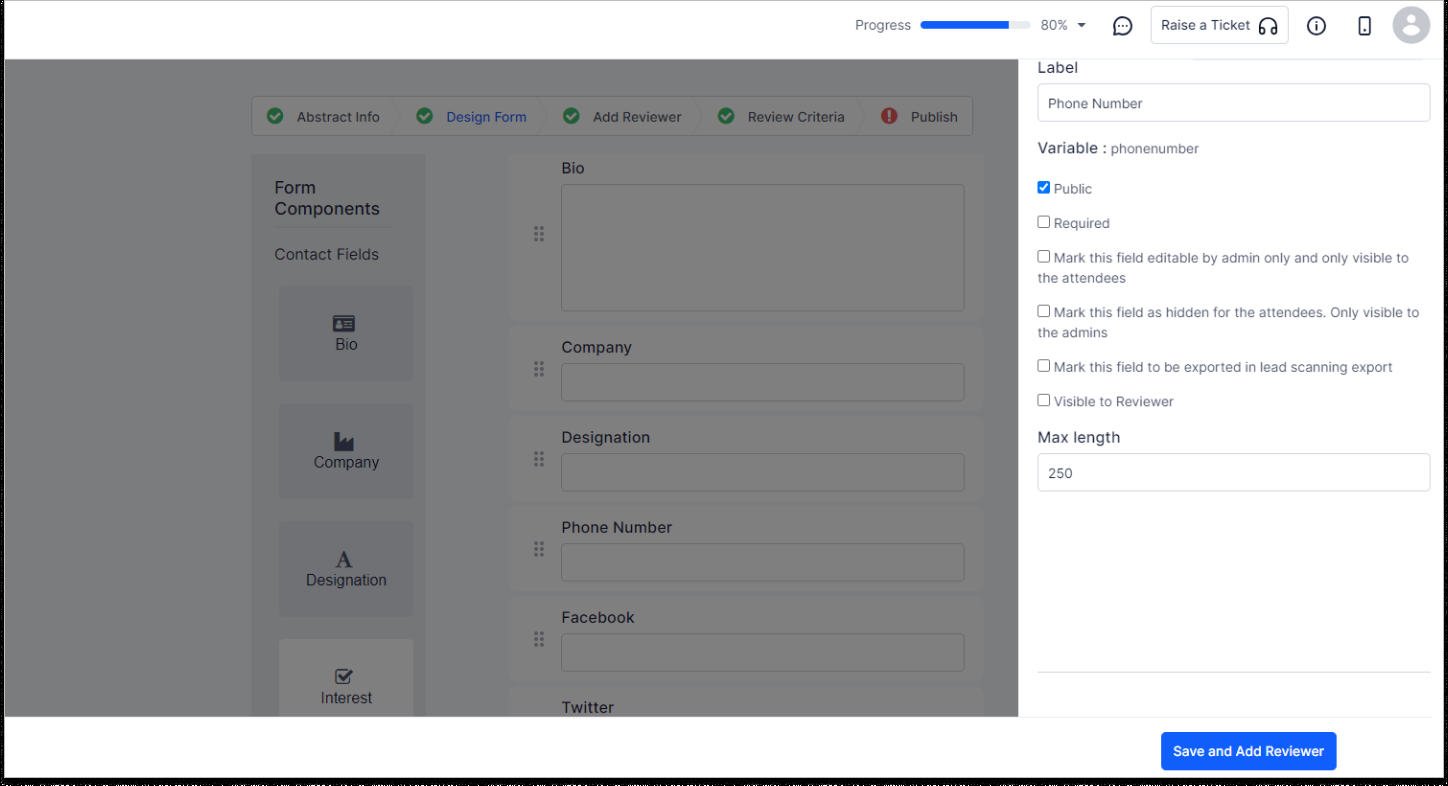
Customize the fields: Just click on the “Edit” button and a pop-up will appear where you can customize the fields bysome text
Renaming the field
Make the field Public / Private
Mark it as Required
Mark it as Visible to Reviewer
Set the Max length
Rearrange or Delete: You can rearrange the fields to create the needed flow. And if there's something you don't need, you can simply delete it. Note: However the fields like Email, First and Last names cannot be edited or deleted.
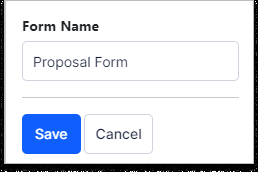
Form Name: If you want a catchy name for your form, you can edit the name by clicking the edit button beside the "Proposal Form" title.
Save: Once you've designed your form, you can move to the next step by clicking "Save and Add Reviewer".