Accidents happen, and if any attendee misplaces the badge you can easily provide it again. Reassigning a badge is a simple process that ensures the attendee can regain access to the event without any inconvenience.
To reassign a badge, you can easily do it in one of the two ways-
Download the badge from their user profile
Navigate to People > Manage Attendees.
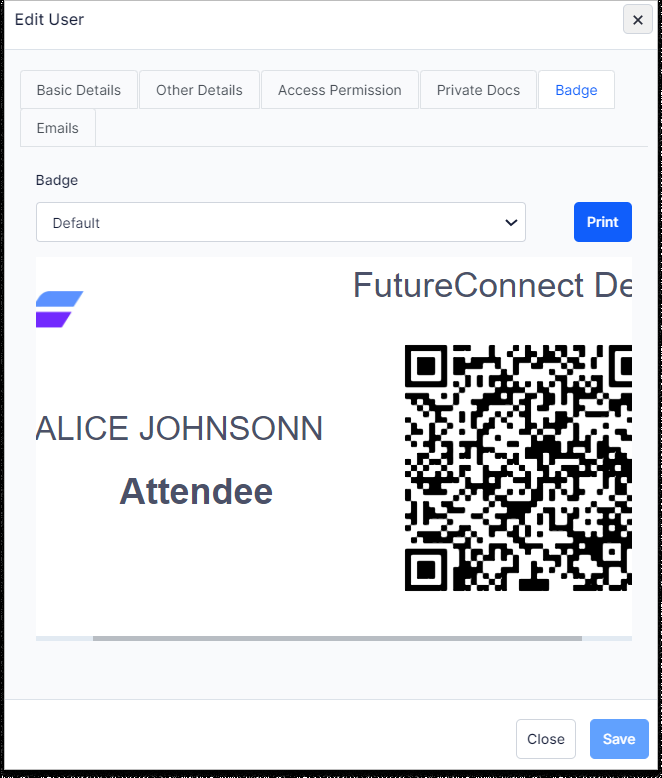
To open the Edit User option, click on the Edit Button next and the Edit User window will open. Click on “ Badge” and then “Print” to download a badge for a single user.
You can also search or filter out the particular user who needs help.
Click on the Edit icon.
Go to Badge and click on the Print option to download the badge which you can then print and distribute.
Reprint the badge from Admin Dashboard
Log in to the HOST iOS application with admin access.
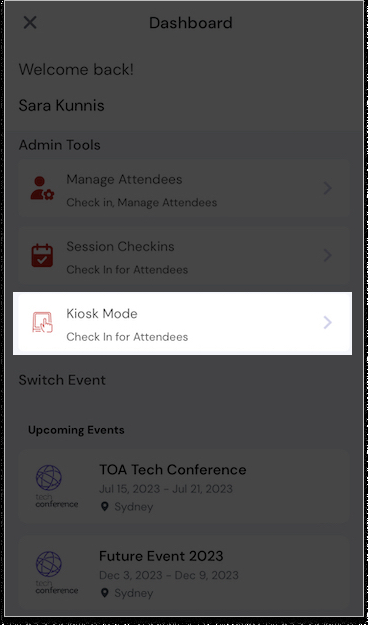
Go to Admin Dashboard and select the Kiosk Mode.
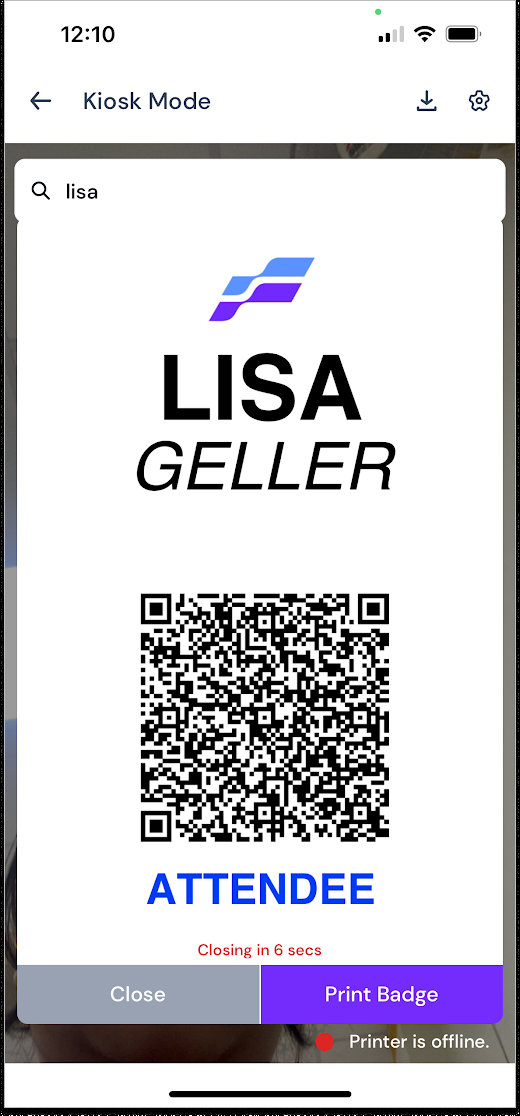
Search out the name of the particular admin, sponsor, exhibitor or attendee in the search bar and click on the name displayed.
A QR code and Print Badge option will be seen.
You can scan the attendee's badge and get it printed through the integrated Brother Label Printer / Zebra Printer.