This challenge lets participants scan a QR code to complete a task and earn points as part of the game. here's how to add this-
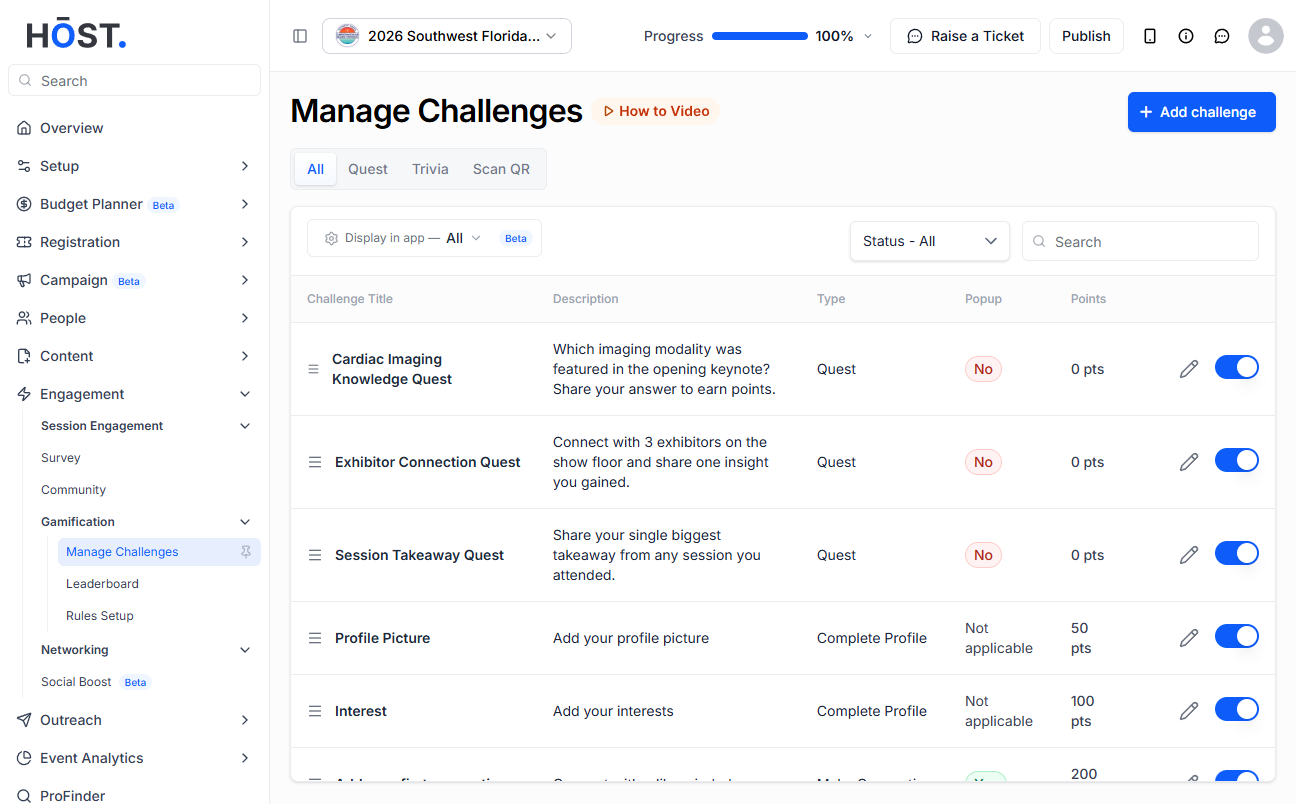
1: Go to Engagement > Gamification > Manage Challenges and click the “+ Add challenge” button.
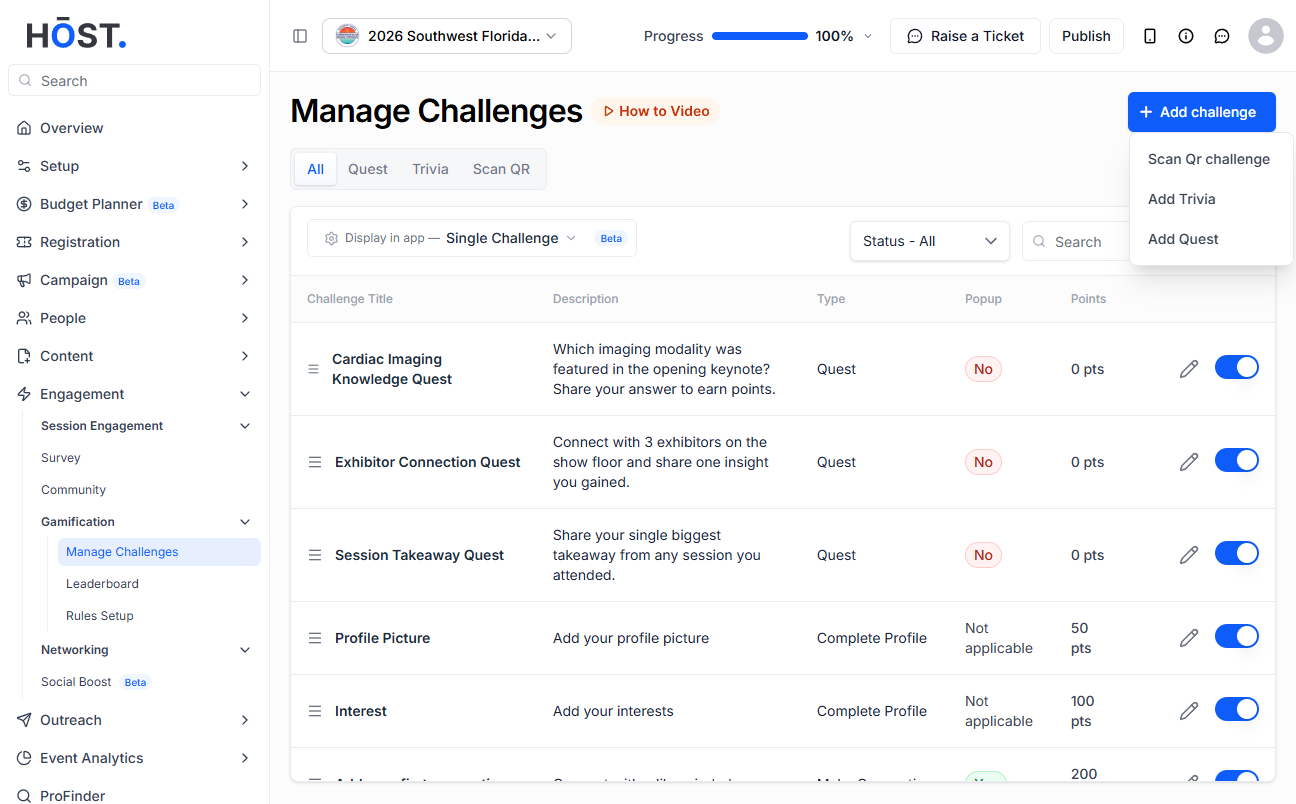
2: Choose “Scan Qr challenge” from the menu.
3: Select the challenge to scan a QR for and the relevant user group, enter a Challenge Name and Description, then choose a Reward Type — “Points” (enter the reward points) or “Award” (upload an image or choose a certificate template) — and set whether to Show Popup.
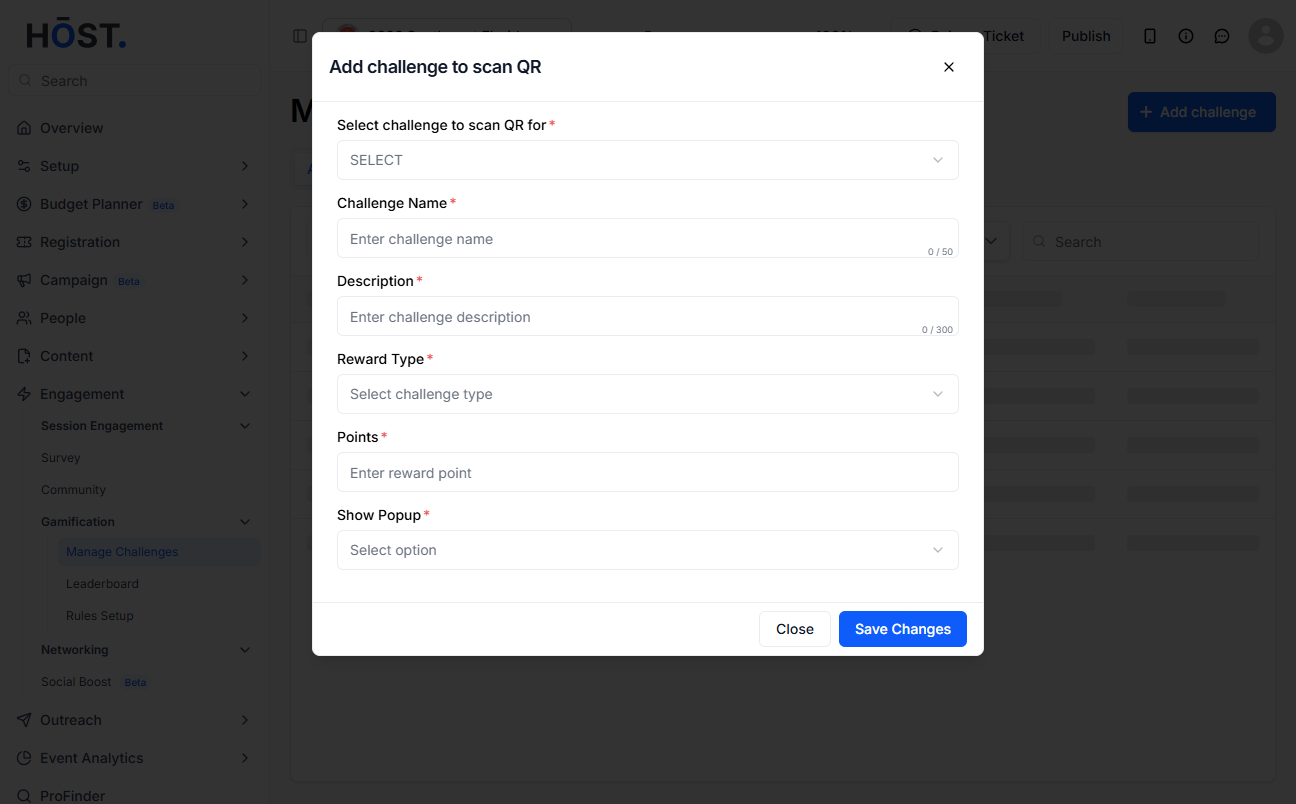
4: Click “Save Changes” to add the Scan QR challenge. Use the pencil icon to edit an existing challenge, and the toggle to enable or disable it.

