The Registration Approval feature allows admins to review and manage event registrations submitted through the checkout form
Tutorial Overview
Explore HOST Admin's dashboard features and insights for efficient event management.
Total Steps: 18
Platform: HOST Admin
Created: Sep 8, 2025
Duration: 167s
Click Instructions
Find the Account option on the top right corner
Screenshot
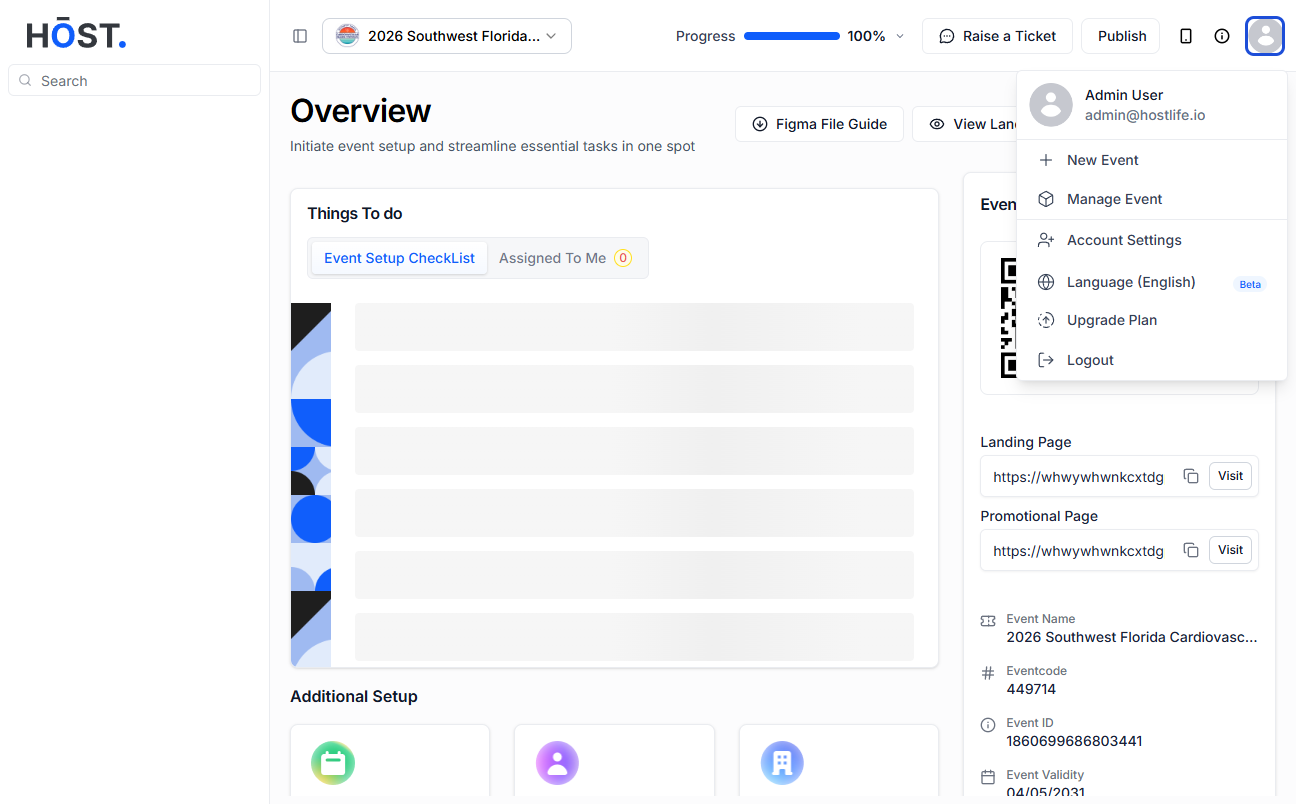
Find the Account option on the top right corner
Click Instructions
Click on Account Settings.
Screenshot
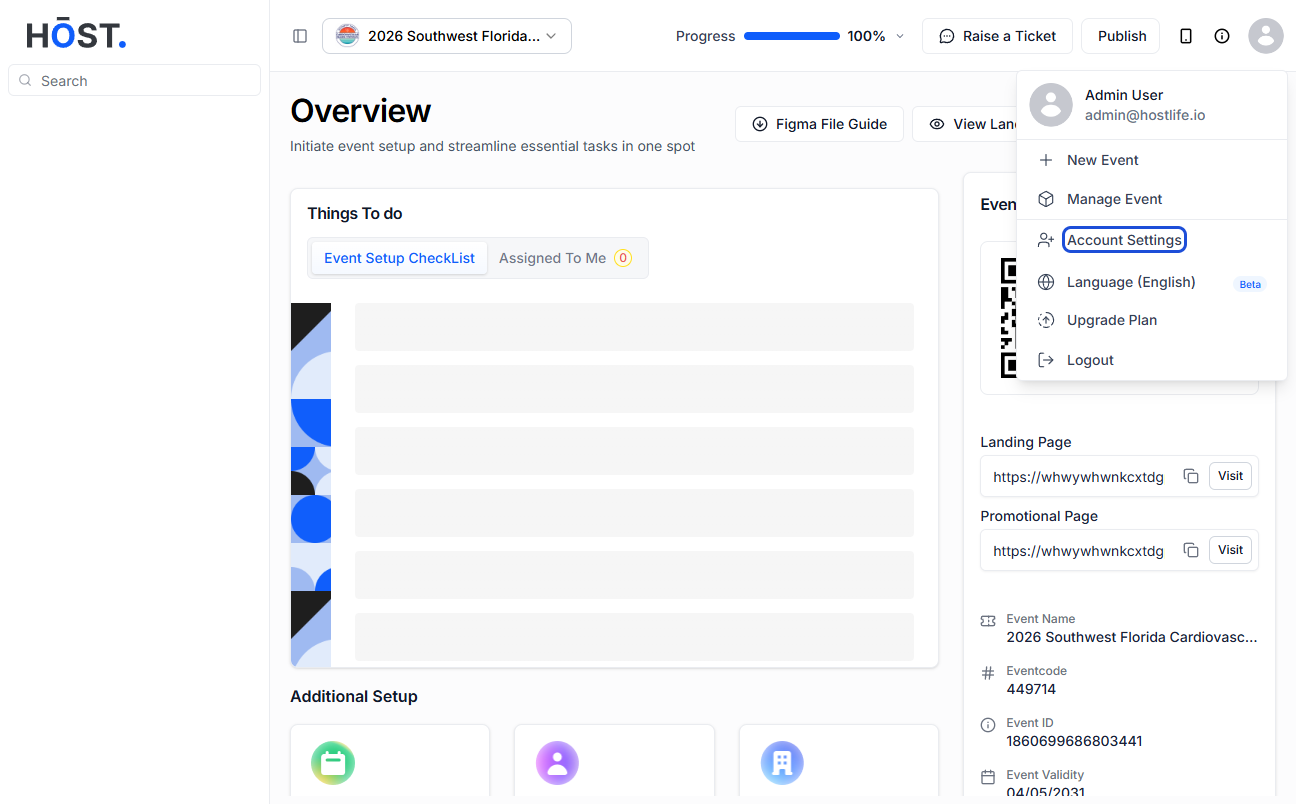
Click on Account Settings.
Click Instructions
Click on "Add Admin" to add a new admin.
Screenshot
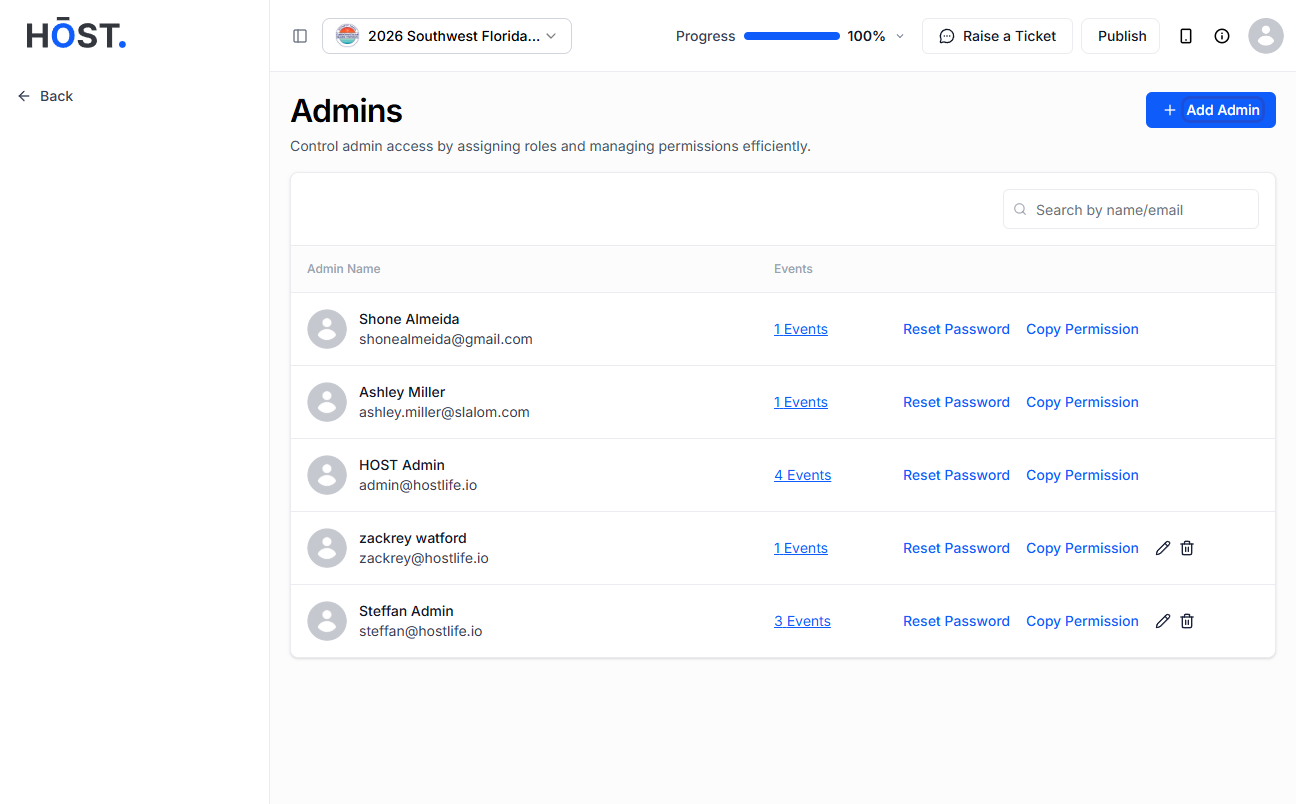
Click on "Add Admin" to add a new admin.
Click Instructions
Add the Admin's First and Last Name.
Screenshot
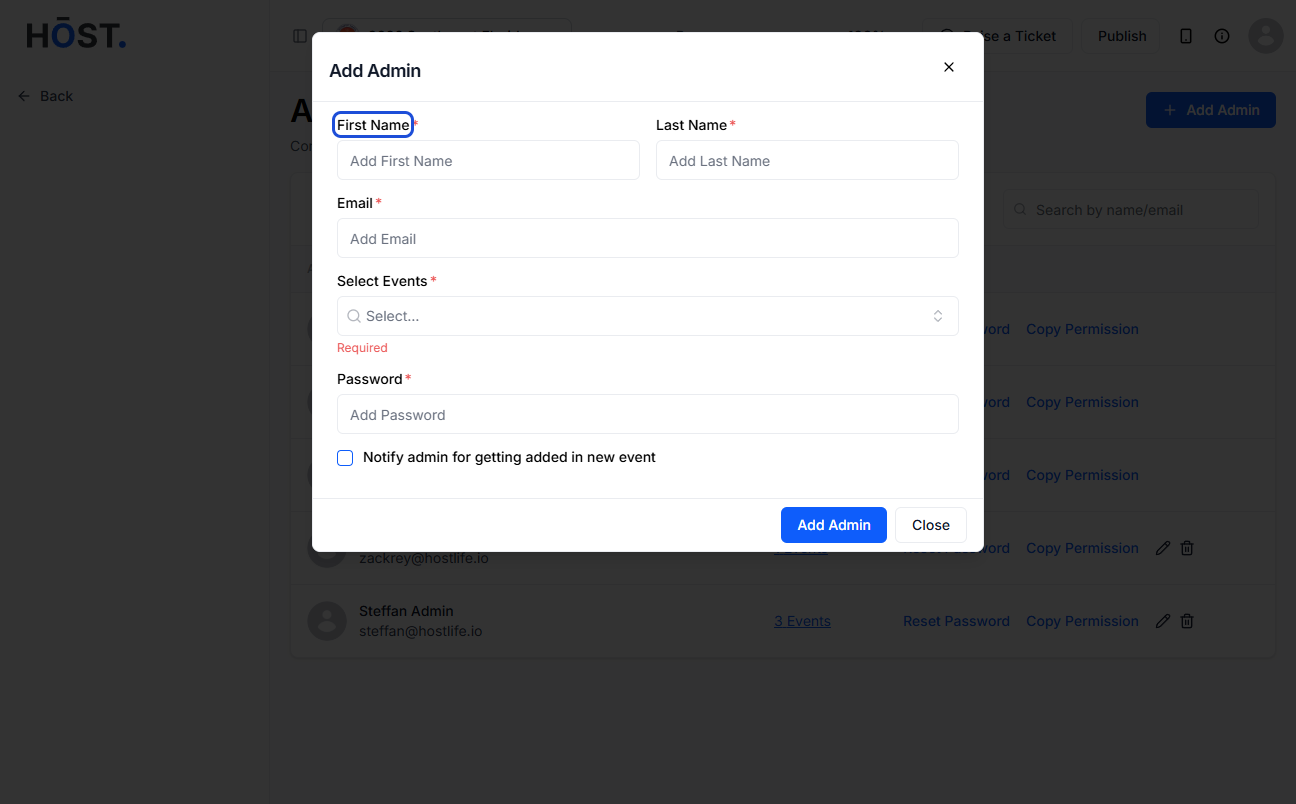
Add the Admin's First and Last Name.
Click Instructions
Add the email with which the admin can login to the panel.
Screenshot
Add the email with which the admin can login to the panel.
Click Instructions
Select the events for which you want to give access to.
Screenshot
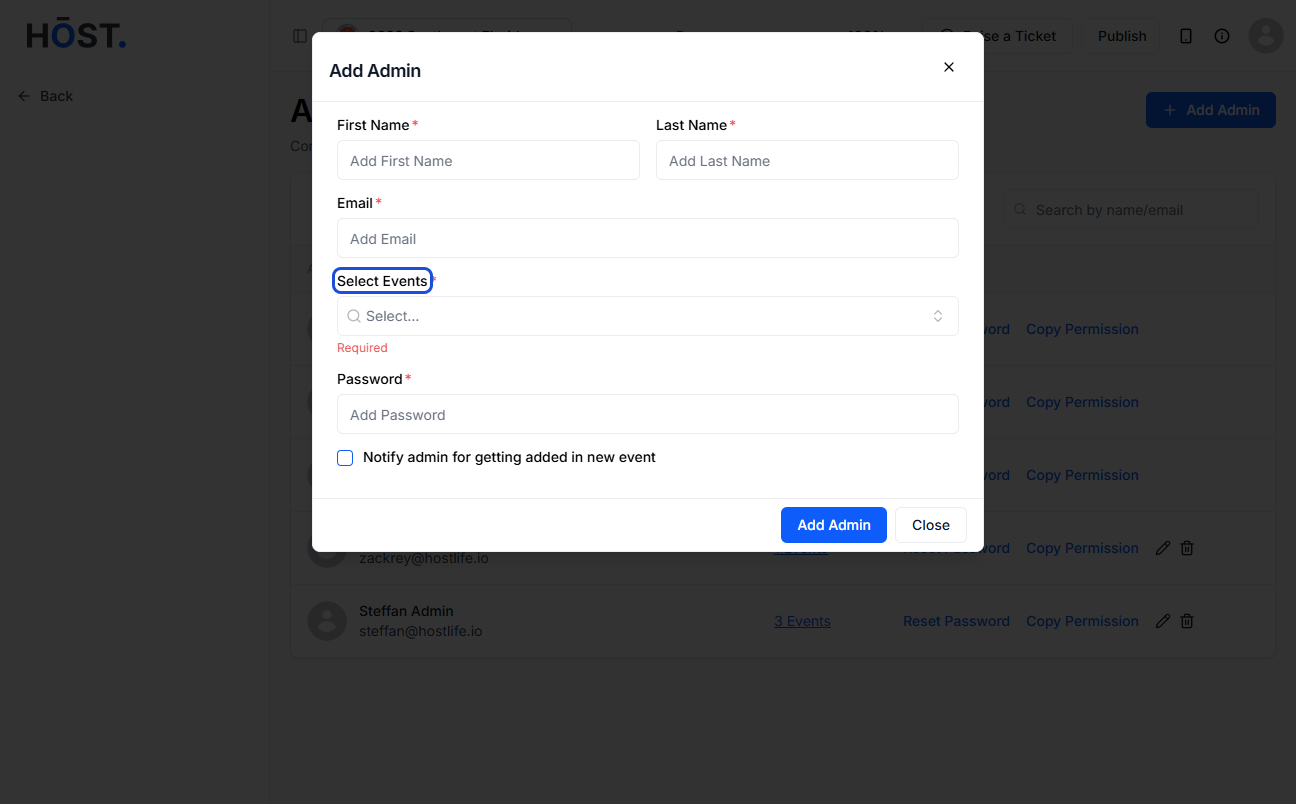
Select the events for which you want to give access to.
Click Instructions
Set the password for logging in to the Admin portal.
Screenshot
Set the password for logging in to the Admin portal.
Click Instructions
Select if you want to send the access email.
Screenshot
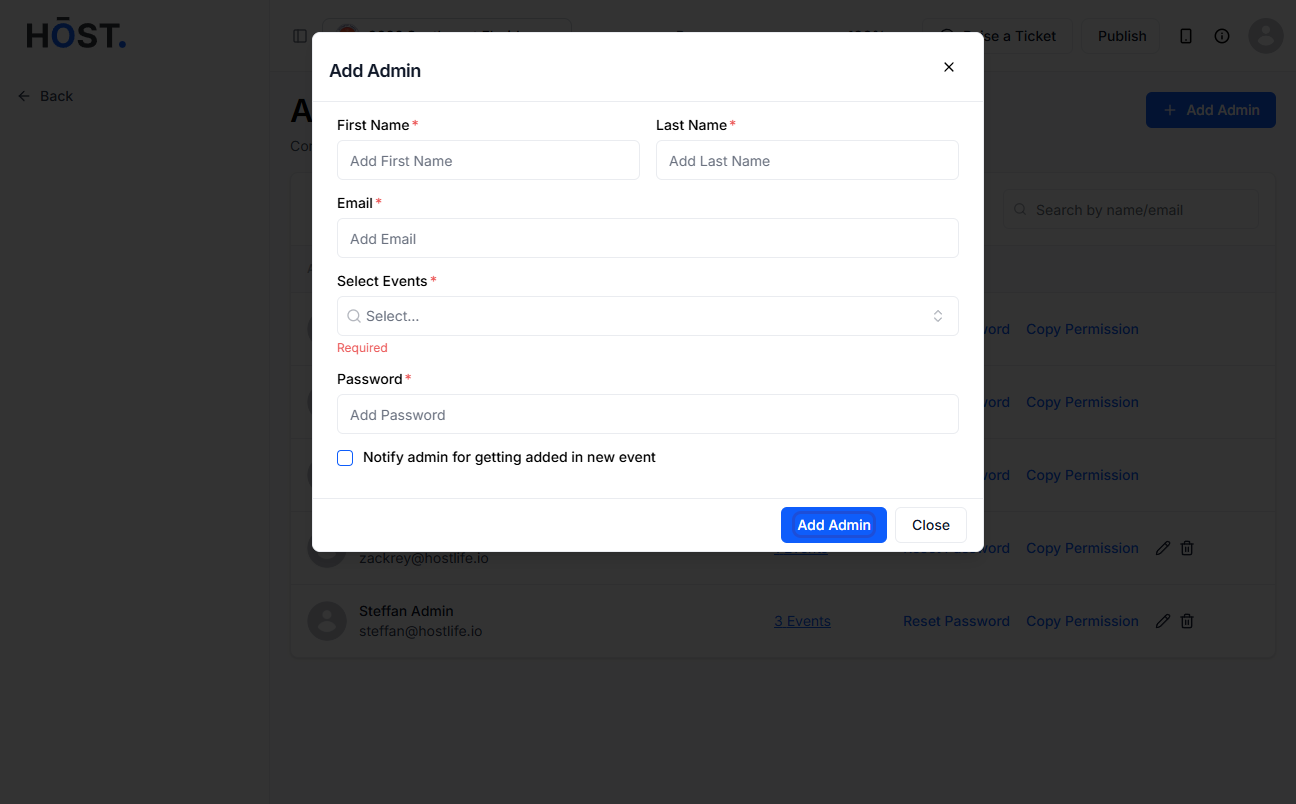
Select if you want to send the access email.
Click Instructions
Once added, the Admin will appear on the list.
Screenshot
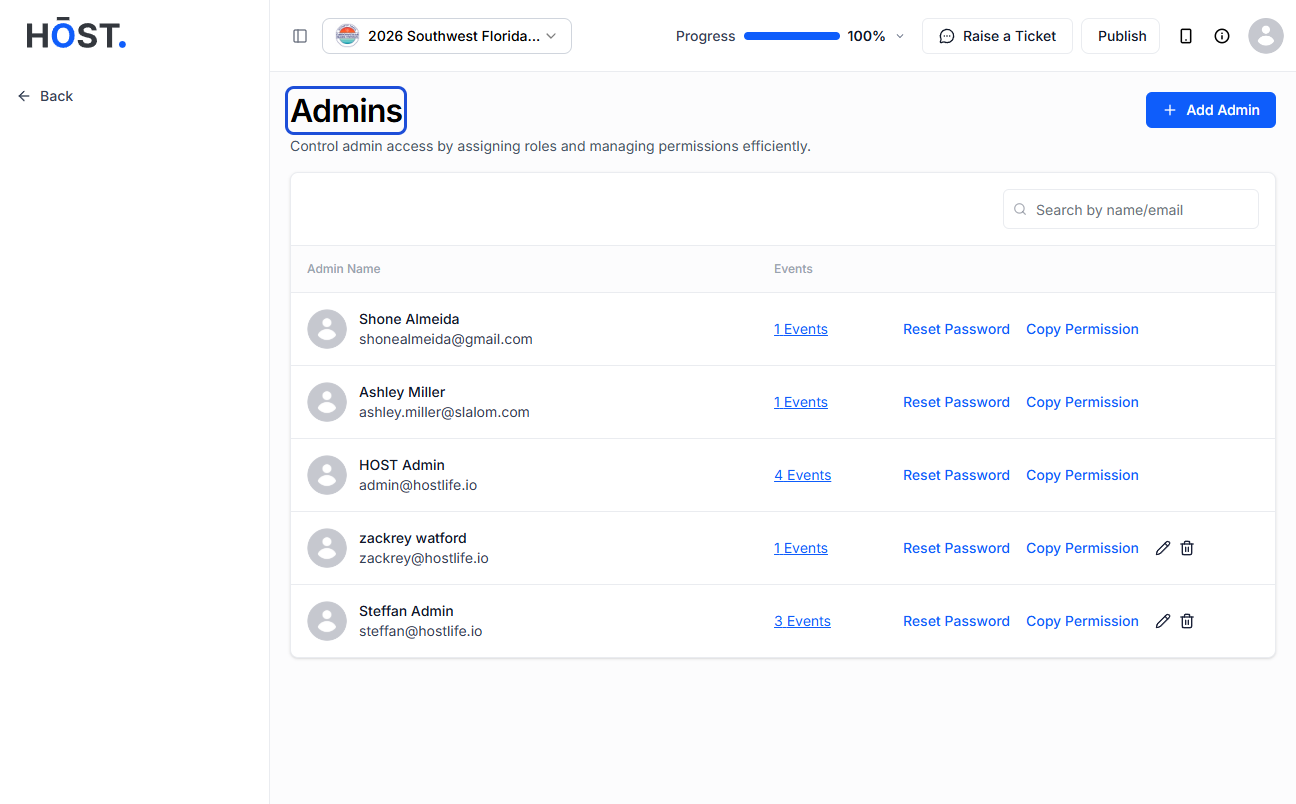
Once added, the Admin will appear on the list.
Click Instructions
Click on Edit to update the feature access for a particular admin.
Screenshot
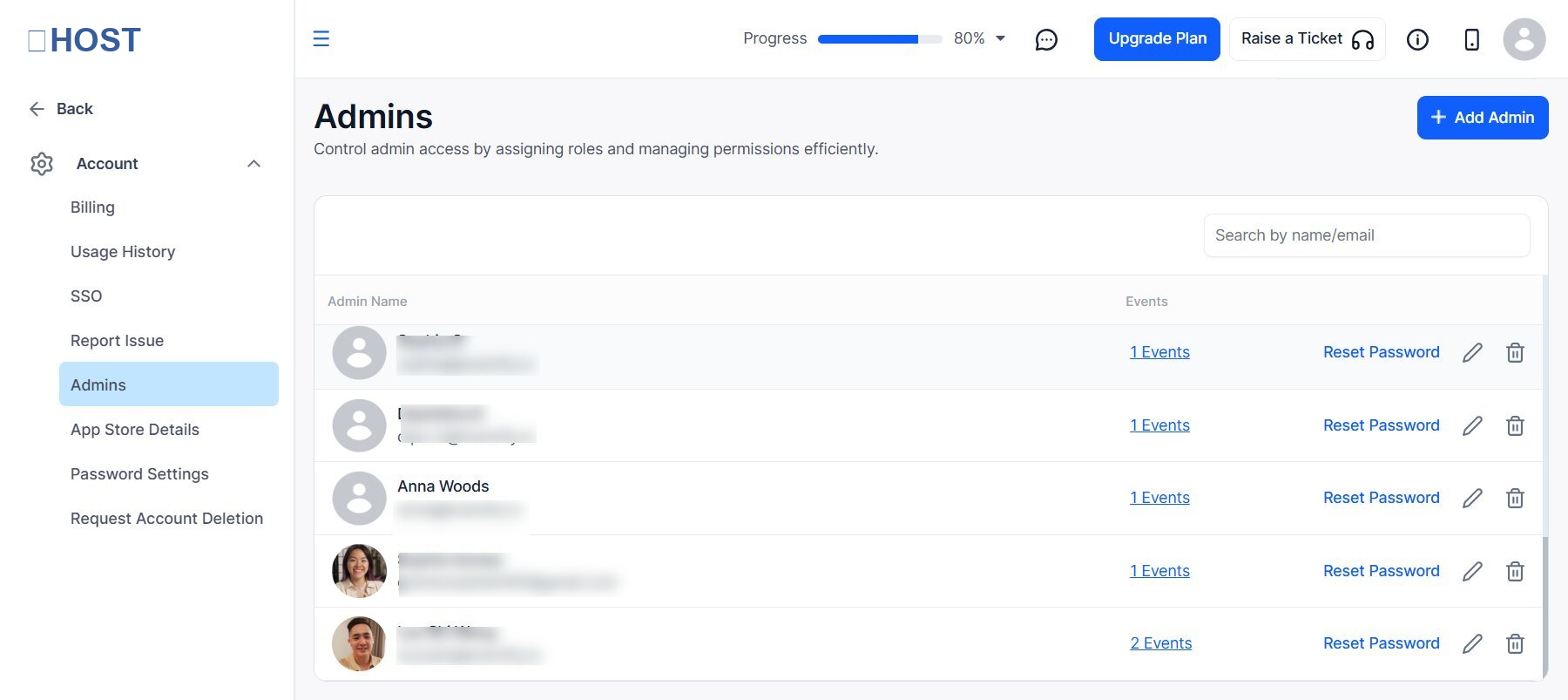
Click on Edit to update the feature access for a particular admin.
Click Instructions
You can select/deselect the event setup features, an admin has access to.
Note: This settings only applies to the Admin Portal.
Screenshot
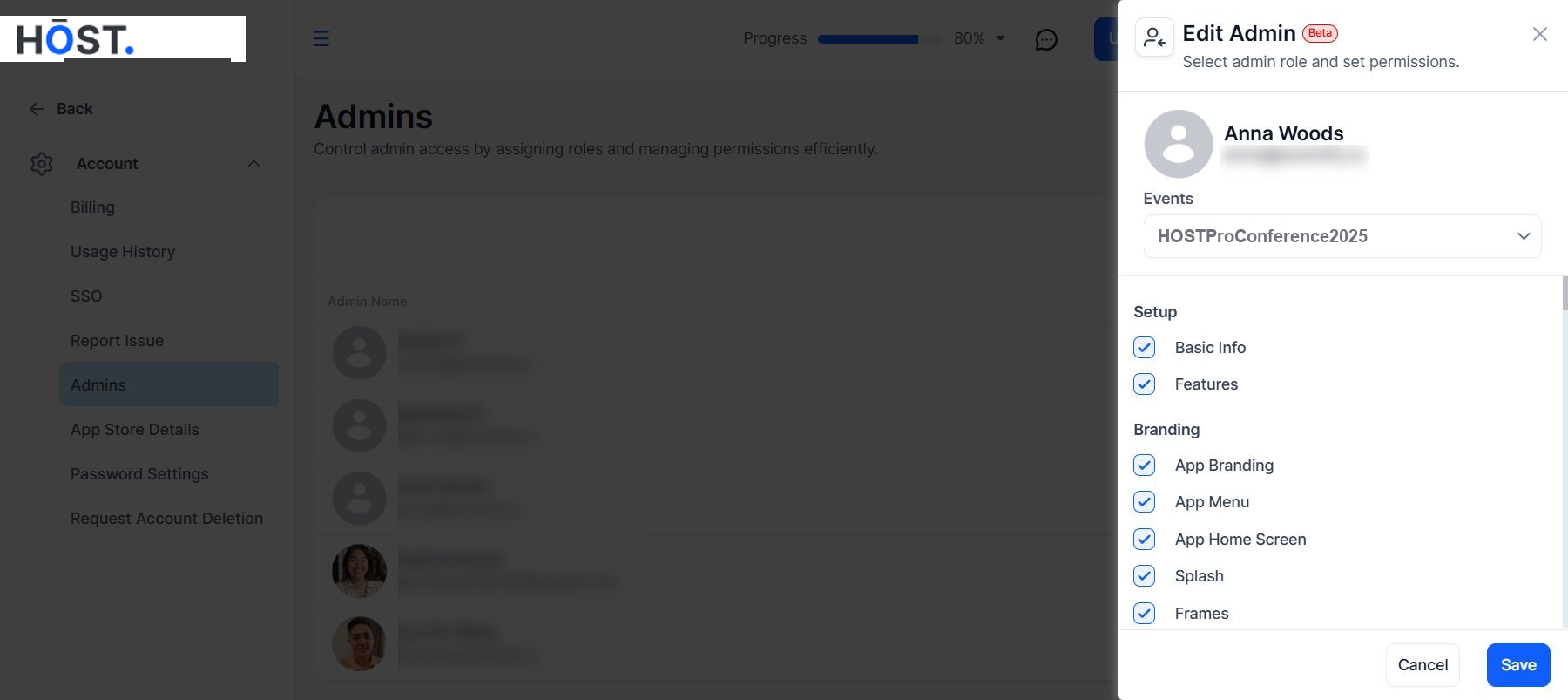
You can select/deselect the event setup features, an admin has access to.
Note: This settings only applies to the Admin Portal.
Click Instructions
Click on Events to Update Event Access.
Screenshot
Click on Events to Update Event Access.
Click Instructions
You can update the event access from here.
Screenshot
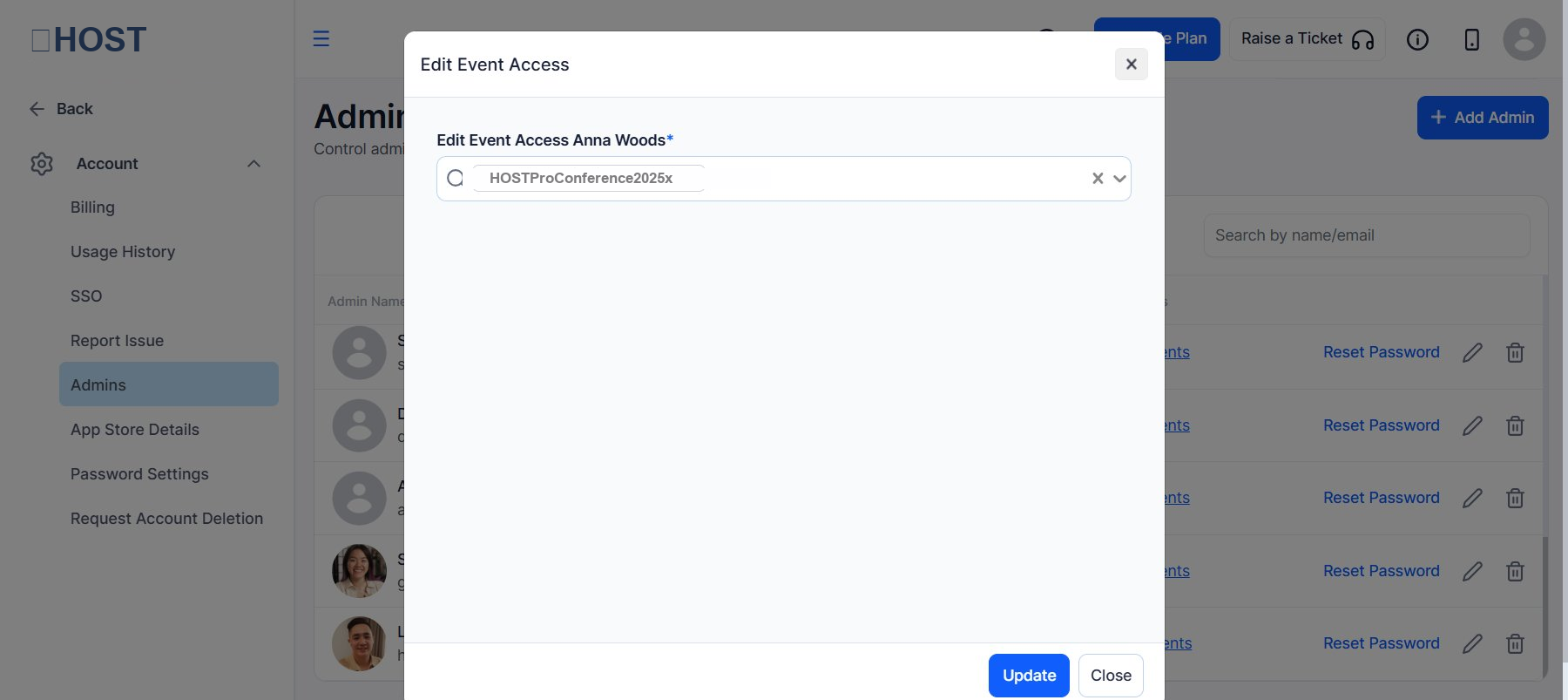
You can update the event access from here.
Click Instructions
Click to reset the Admin's password.
Screenshot
Click to reset the Admin's password.
Click Instructions
You can set a new password for the admin and update it.
Screenshot
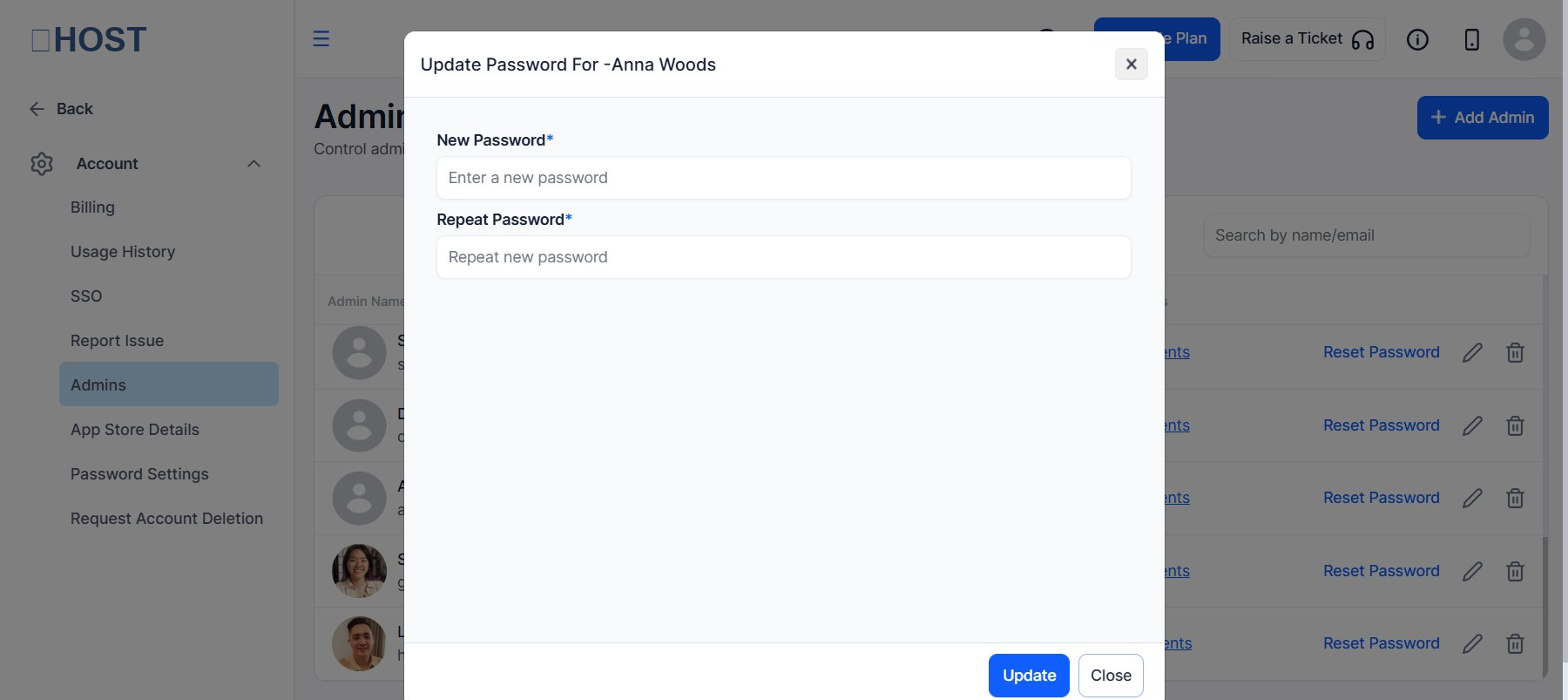
You can set a new password for the admin and update it.
Click Instructions
Click to delete the Admin.
Screenshot
Click to delete the Admin.
Click Instructions
Confirm to delete an admin.
Screenshot
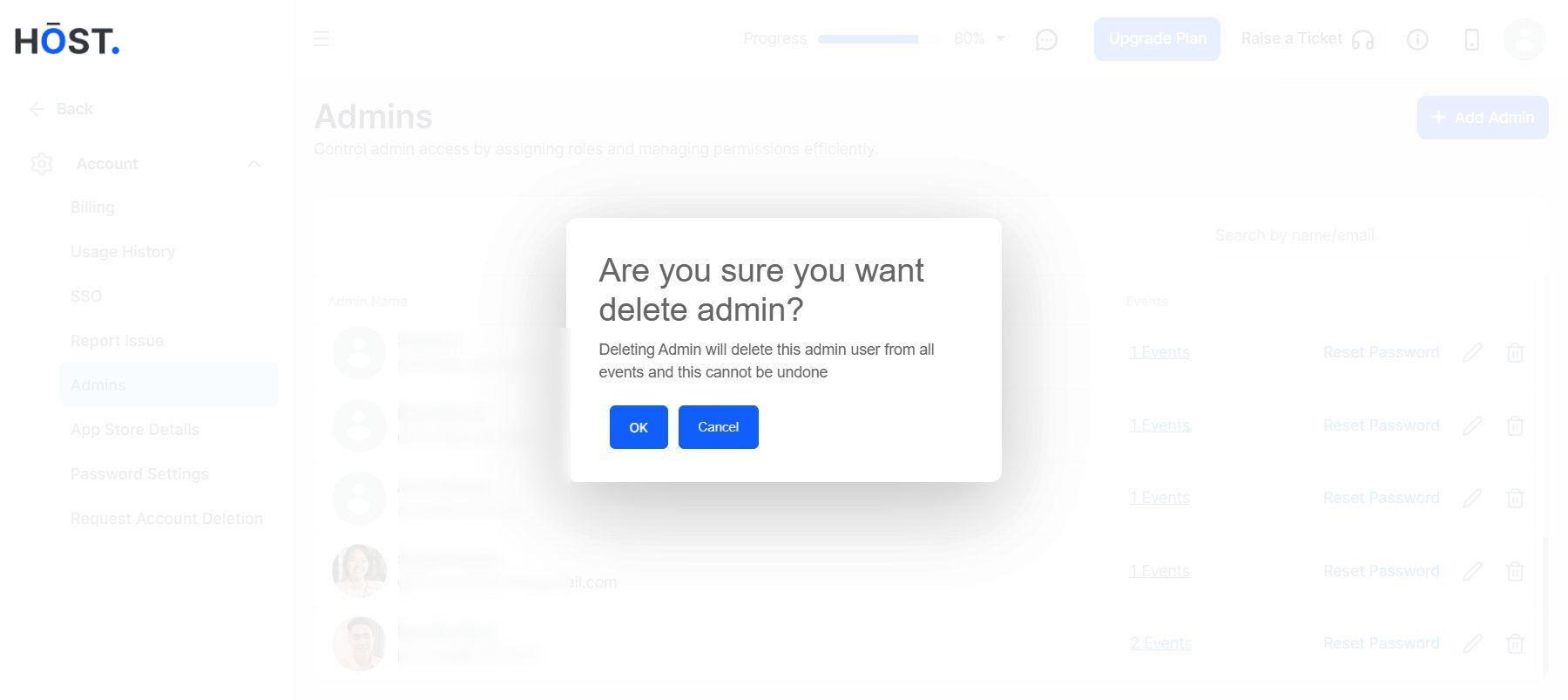
Confirm to delete an admin.

