Bulk importing sessions allows you to upload multiple session details at once using a predefined template. Follow the steps below to bulk import sessions
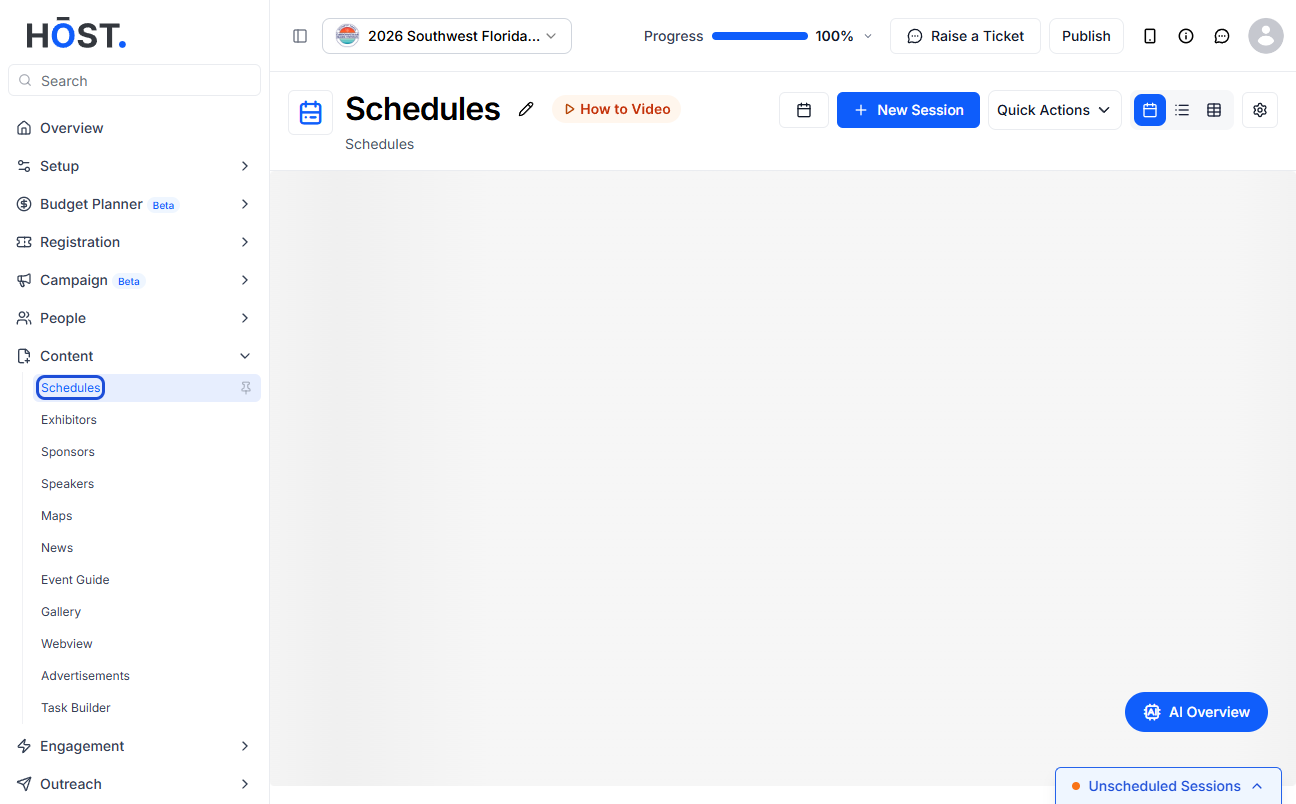
1: Go to Content > Schedules and click the “Quick Actions” button.
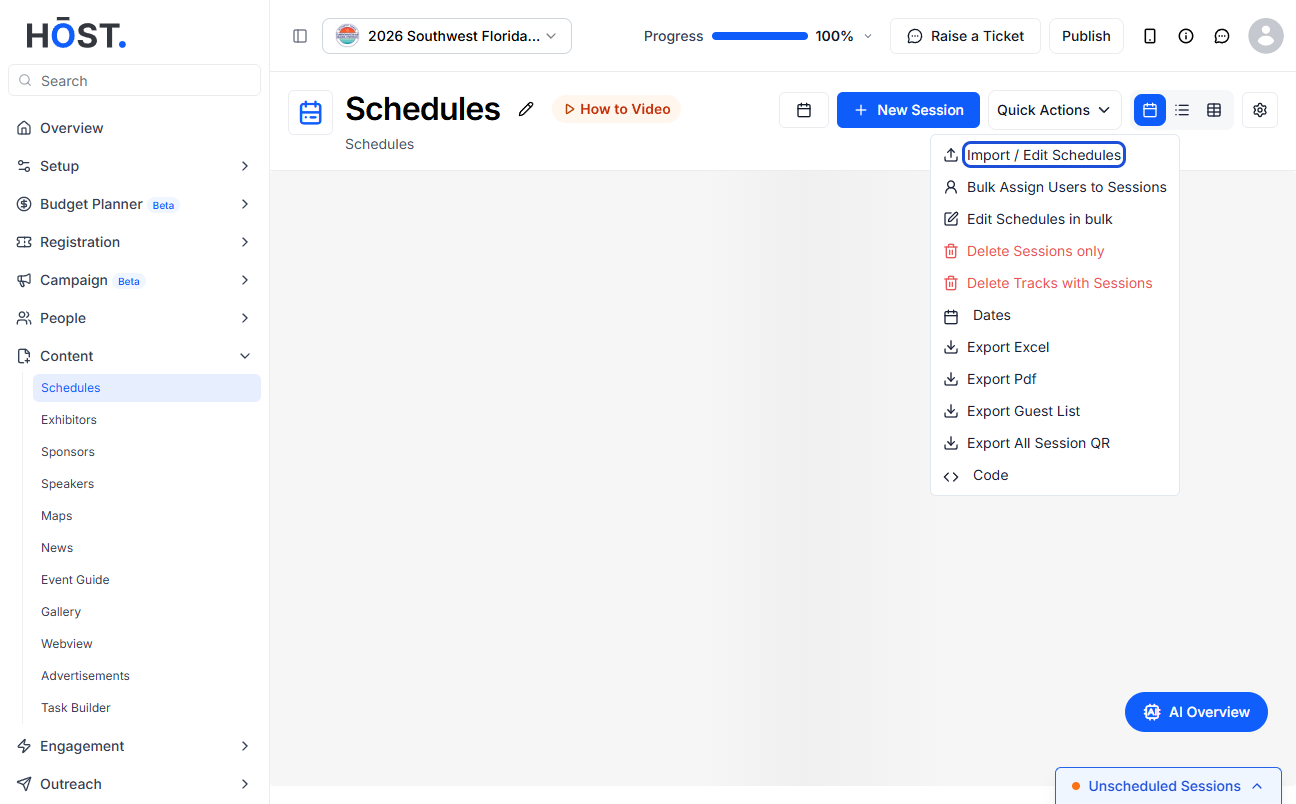
2: Select “Import / Edit Schedules” from the Quick Actions menu.
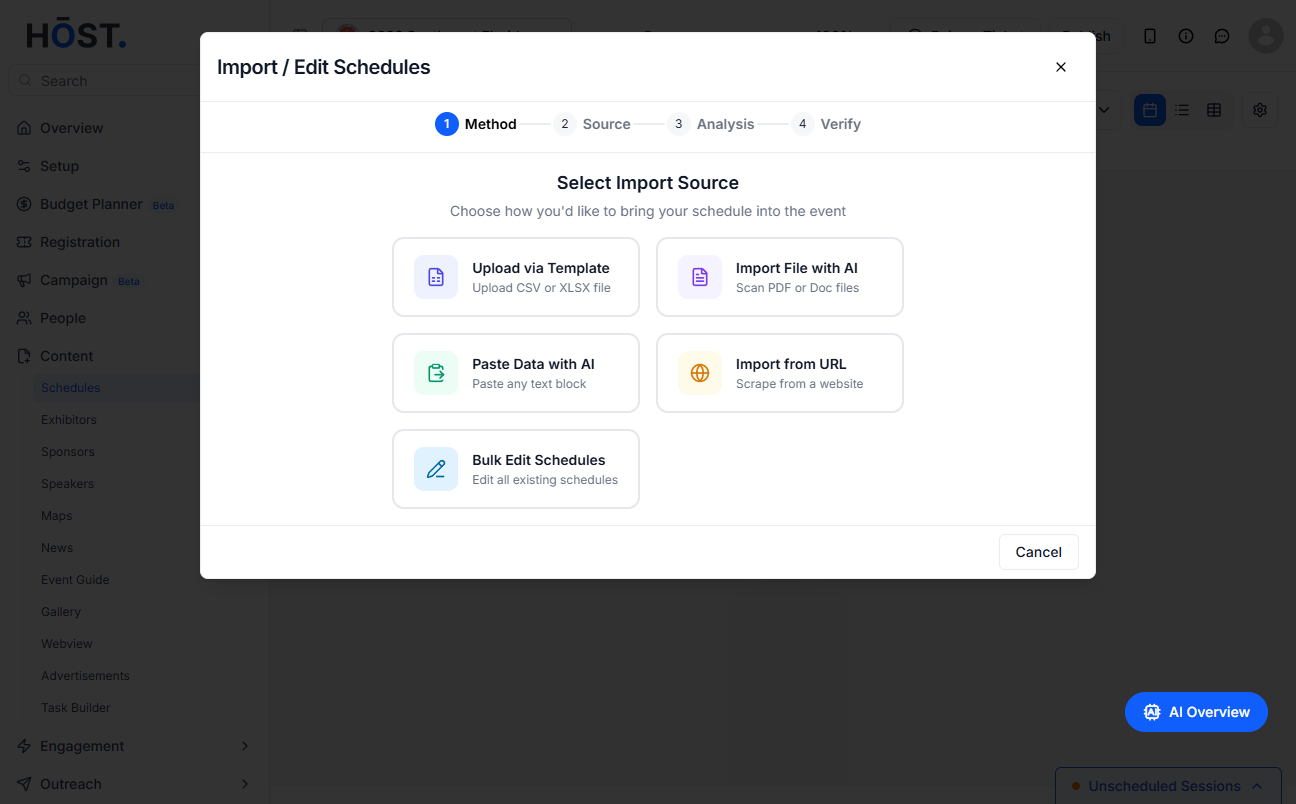
3: Choose how you want to bring your sessions in: Upload via Template, Import File with AI, Paste Data with AI, or Import from URL.
4: To import a spreadsheet, select “Upload via Template”, download the Sample CSV or XLS, fill it in, and upload your completed file.
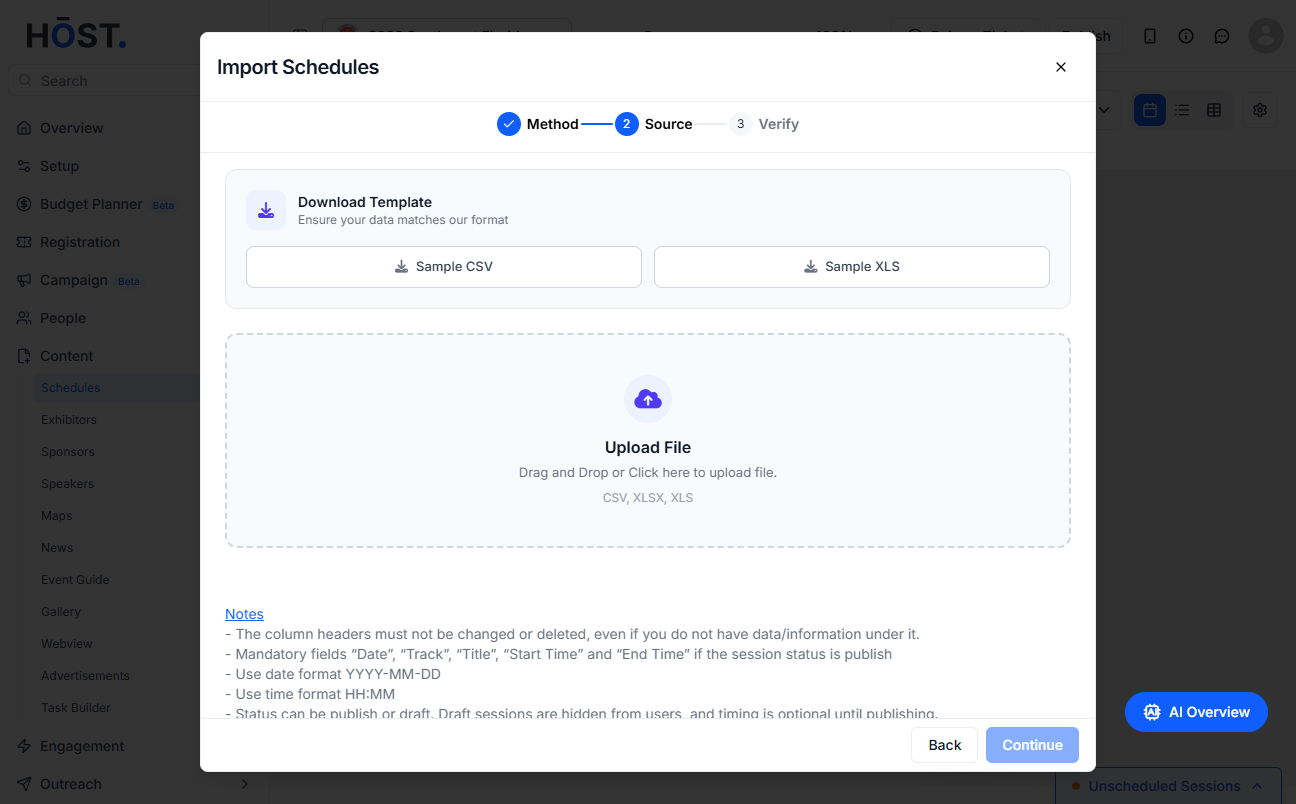
5: Click “Continue” and review the data in the Verify step to finish importing your sessions.

