Add Exciting Tasks to Your Gamification Flow. Follow this to learn how to add a Trivia challenge to your gamification flow
1: Go to Engagement > Gamification > Manage Challenges and click the “+ Add challenge” button.
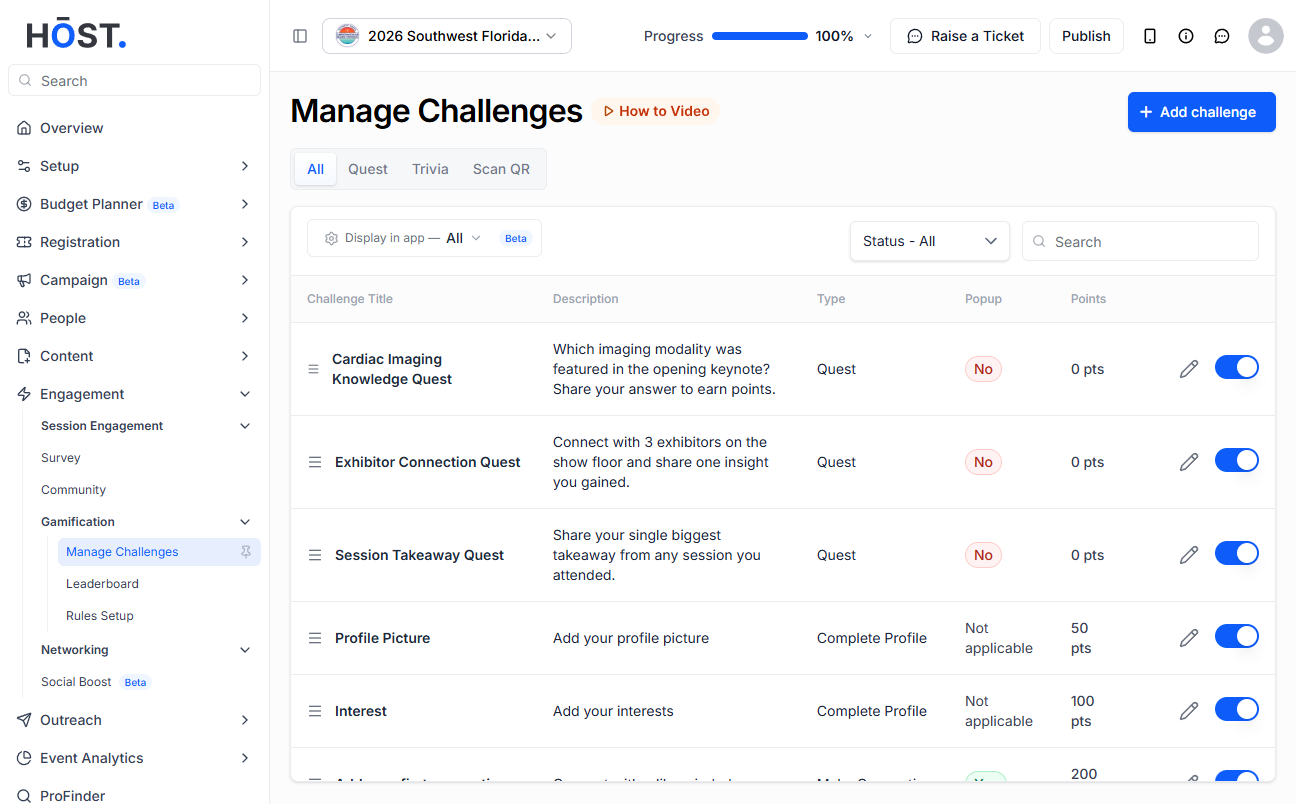
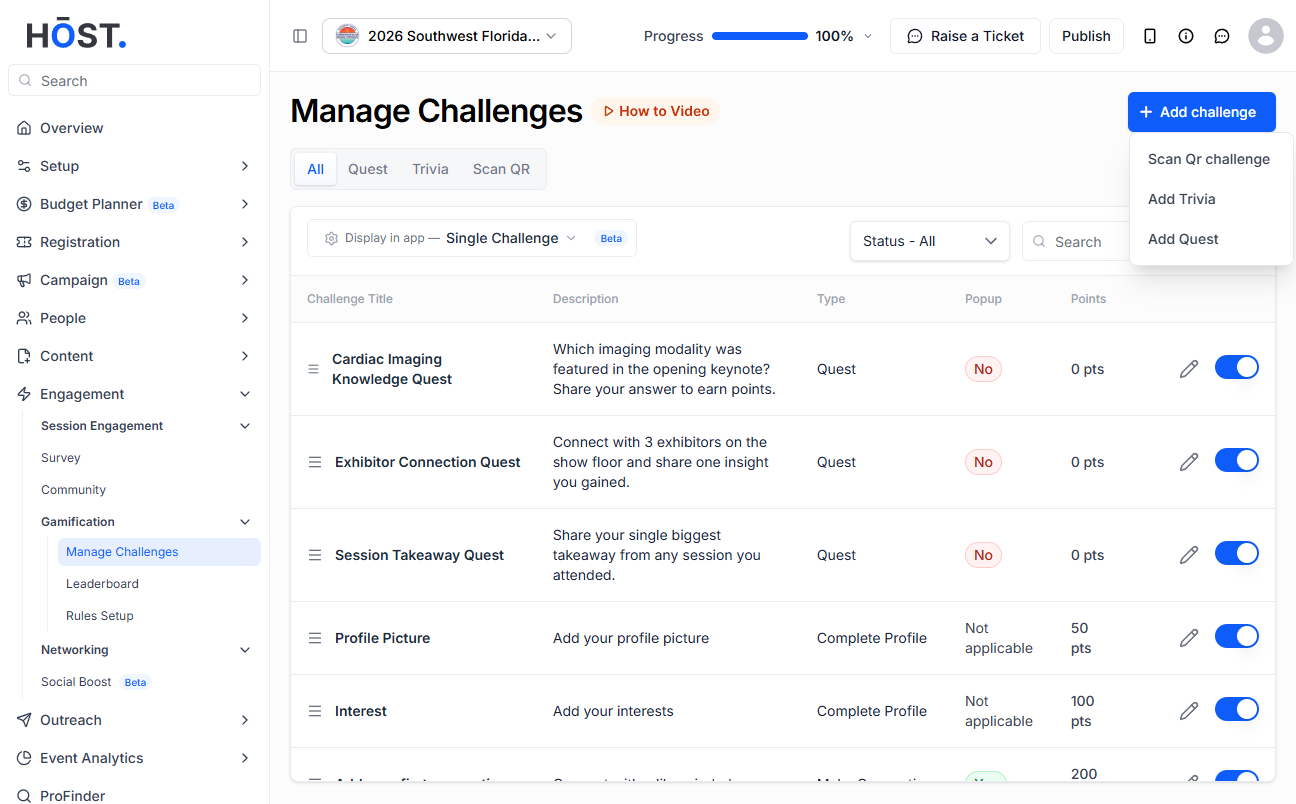
2: Choose “Add Trivia” from the menu.
3: Enter the Challenge Name and a description, choose a Reward Type — “Points” (enter the reward points) or “Award” (upload an image or choose a certificate template) — then click “Insert Trivia” to build your custom trivia form, and set whether to Show Popup.
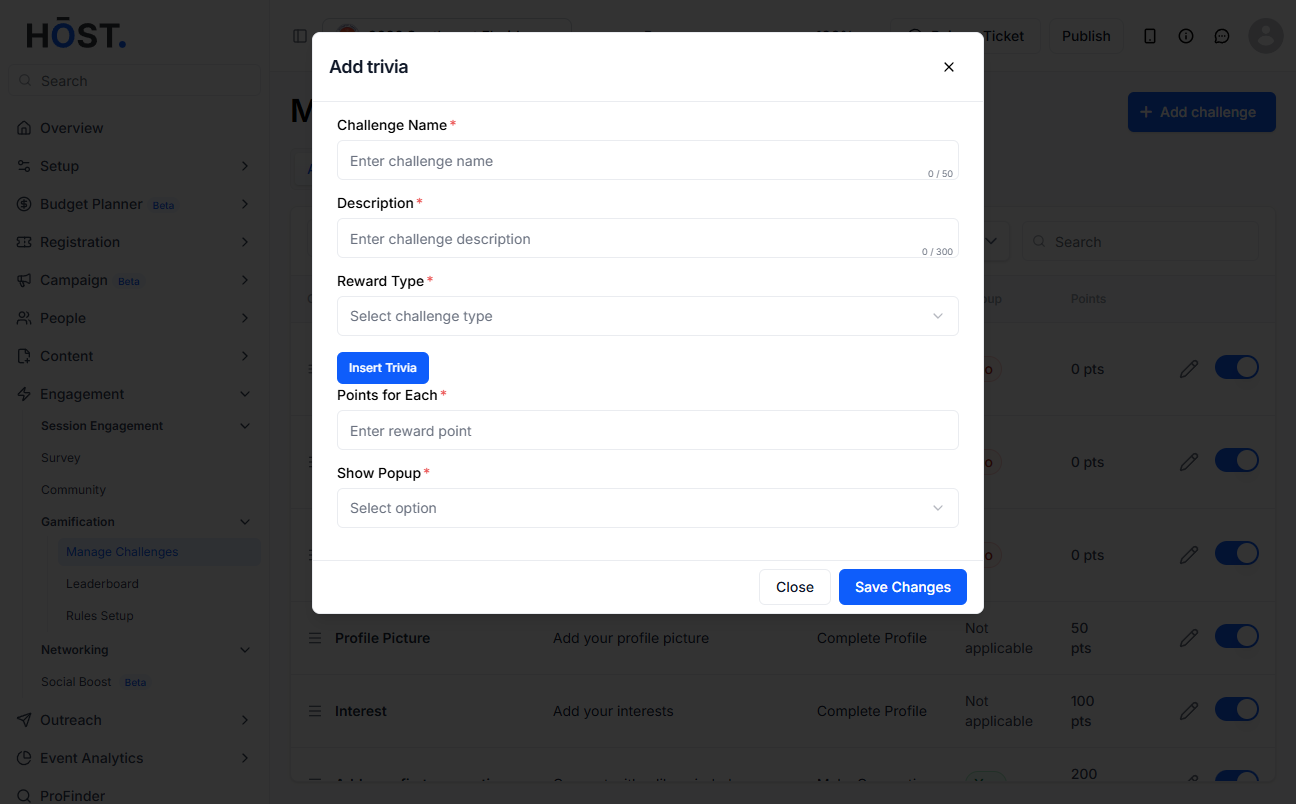
4: Click “Save Changes” to create the trivia challenge. Use the pencil icon to edit an existing challenge, and the toggle to enable or disable it.

