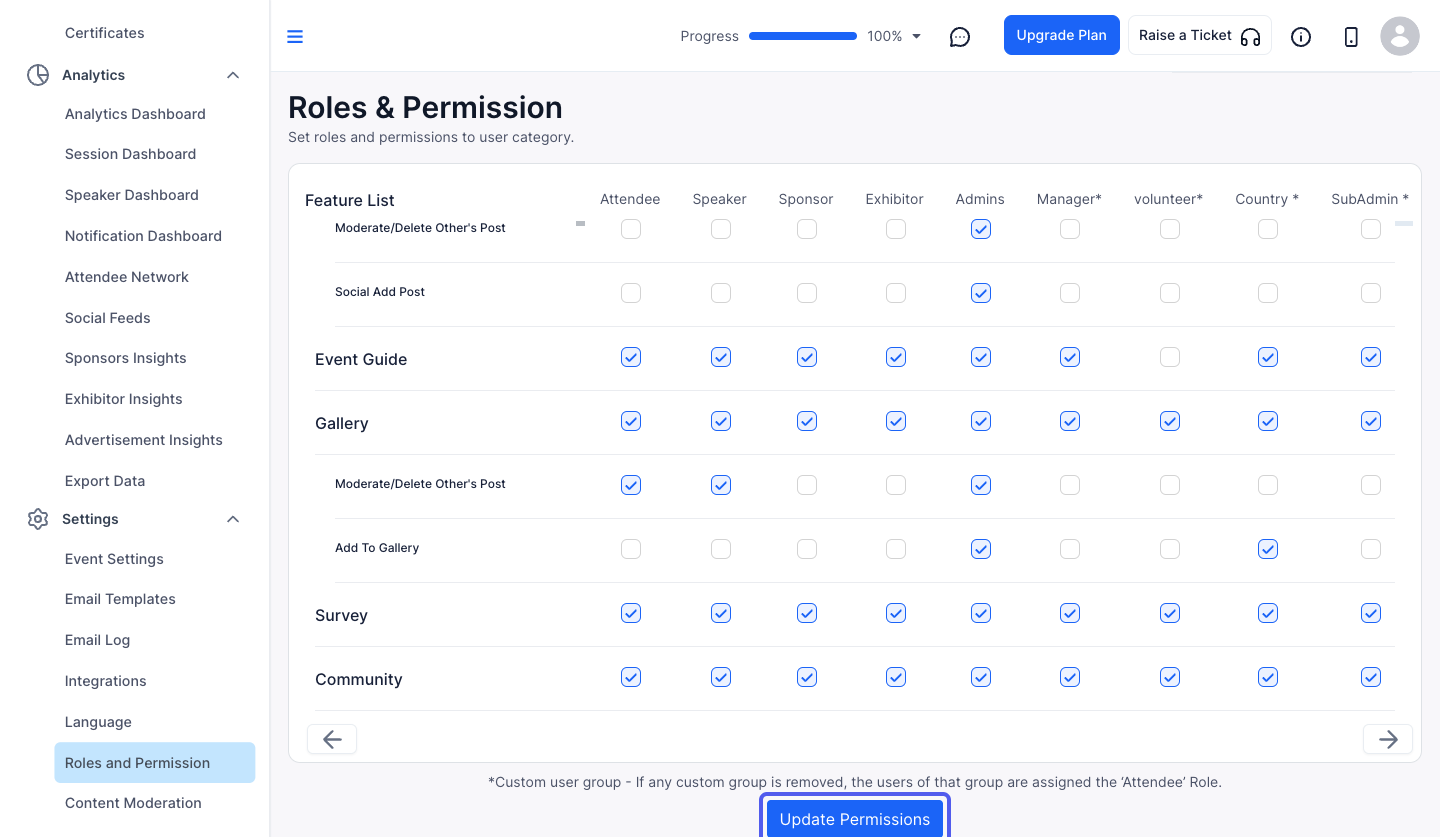
Enabling this option lets your attendees contribute their own images to the event gallery. Follow the steps below to allow attendee photo uploads.
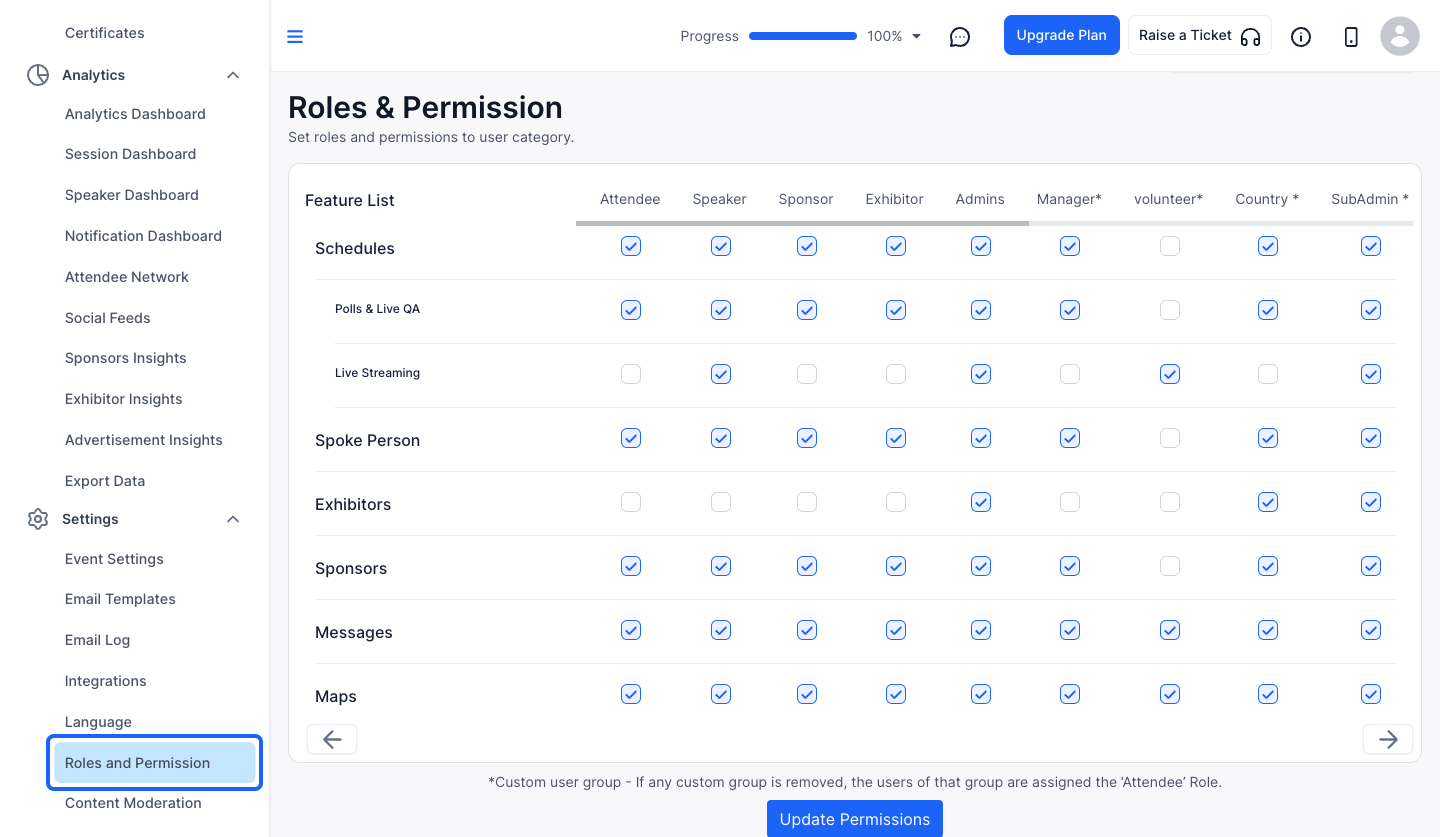
1: Log in to HOST Admin Panel and go to Settings> Roles & Permission
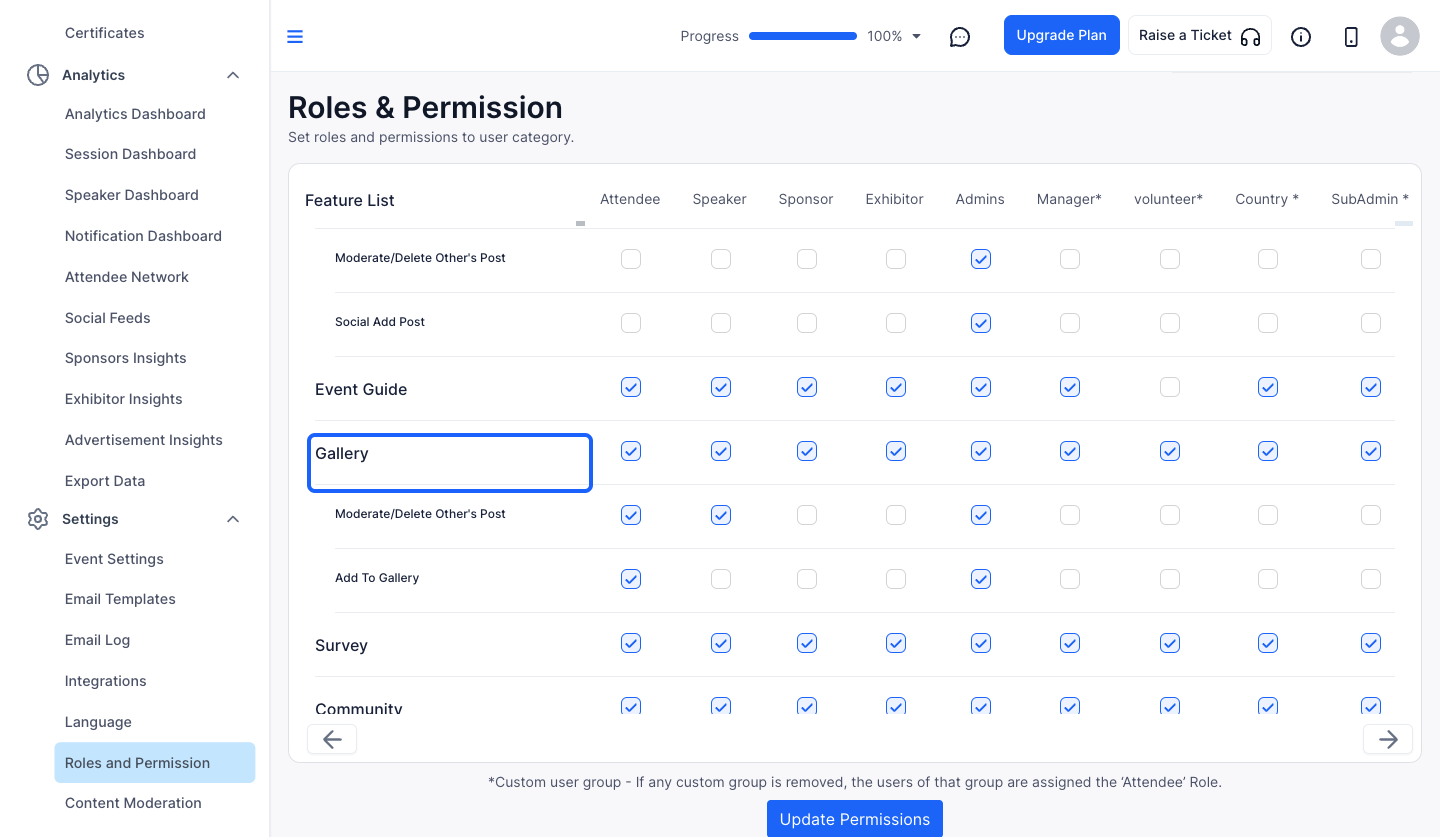
2: Under Feature List scroll down to Gallery
3: navigate to Add To Gallery section
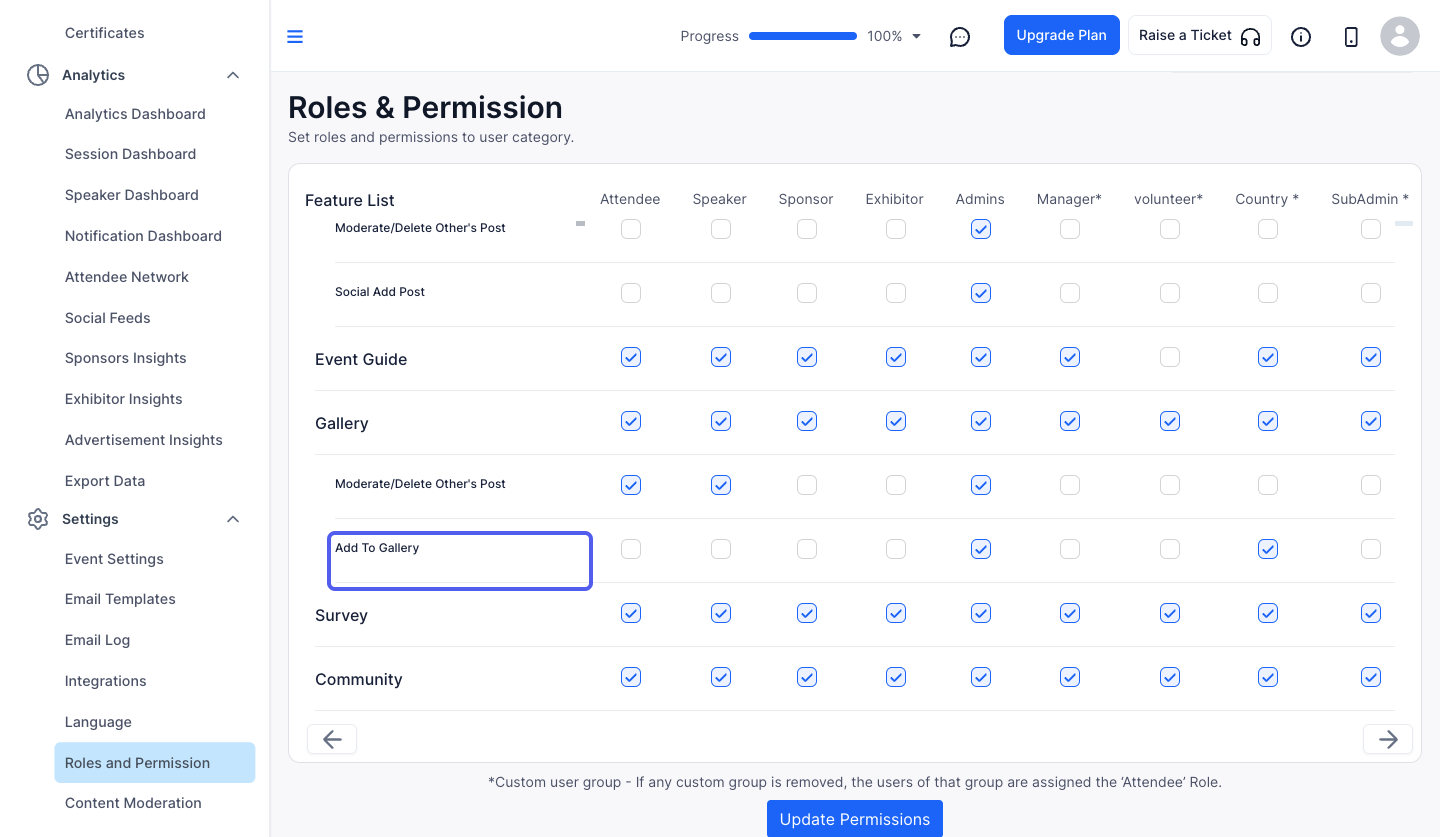
4: Now check the checkbox for Attendee corresponding to "Add To Gallery" to allow attendees to add photos to the gallery
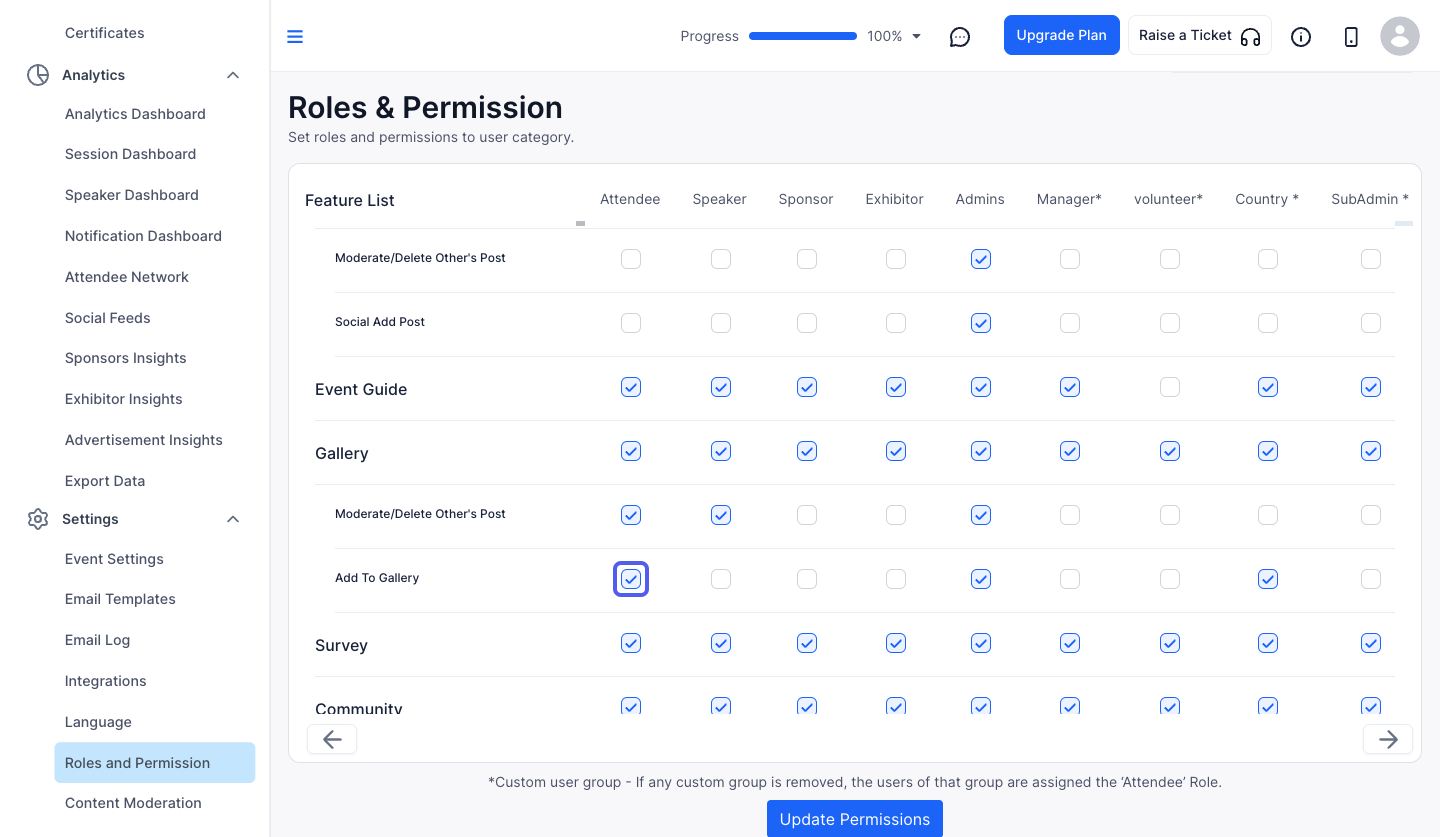
5: Click the “Update Permissions” button to save the changes done