Gamification can be a powerful tool to increase attendee engagement and participation at your event. By incorporating game-like elements such as challenges, rewards, and leaderboards, you can create a more interactive and enjoyable experience for your attendees.
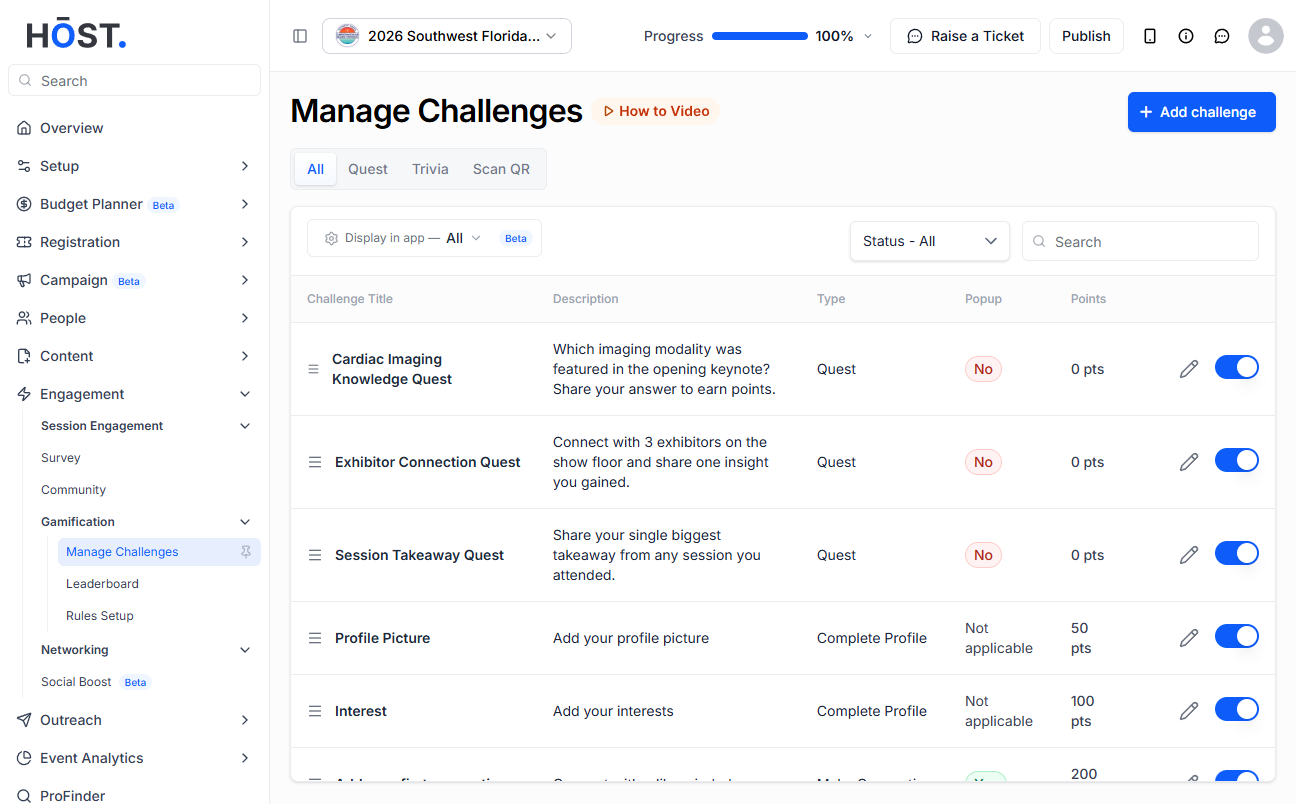
1: Go to Engagement > Gamification > Manage Challenges. Challenges are either Single or Recurring; use “Display in app” to control which ones appear in the app. Edit a challenge's name, points, reward type and more via the pencil icon, and enable or disable it with the toggle.
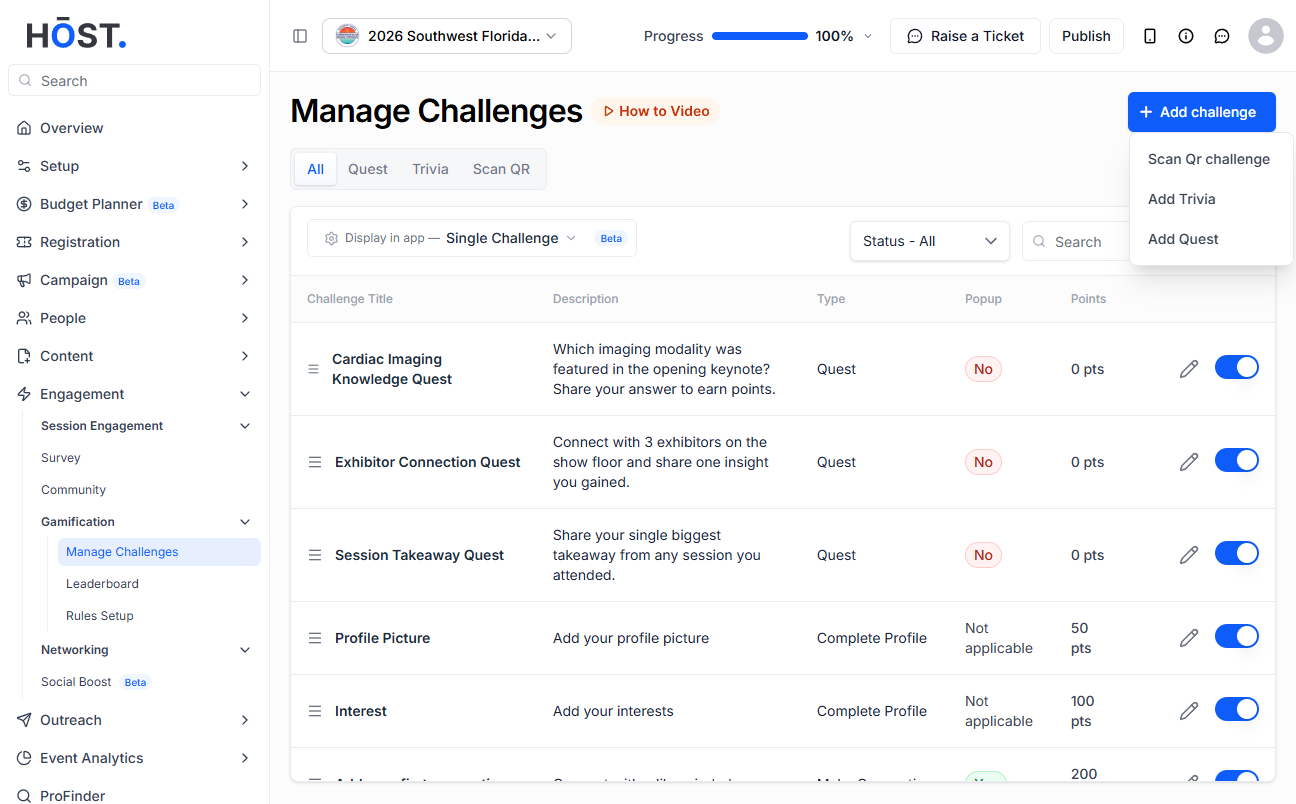
2: Click “+ Add challenge” to create new challenges such as Scan QR, Trivia, or a multi-task Quest.
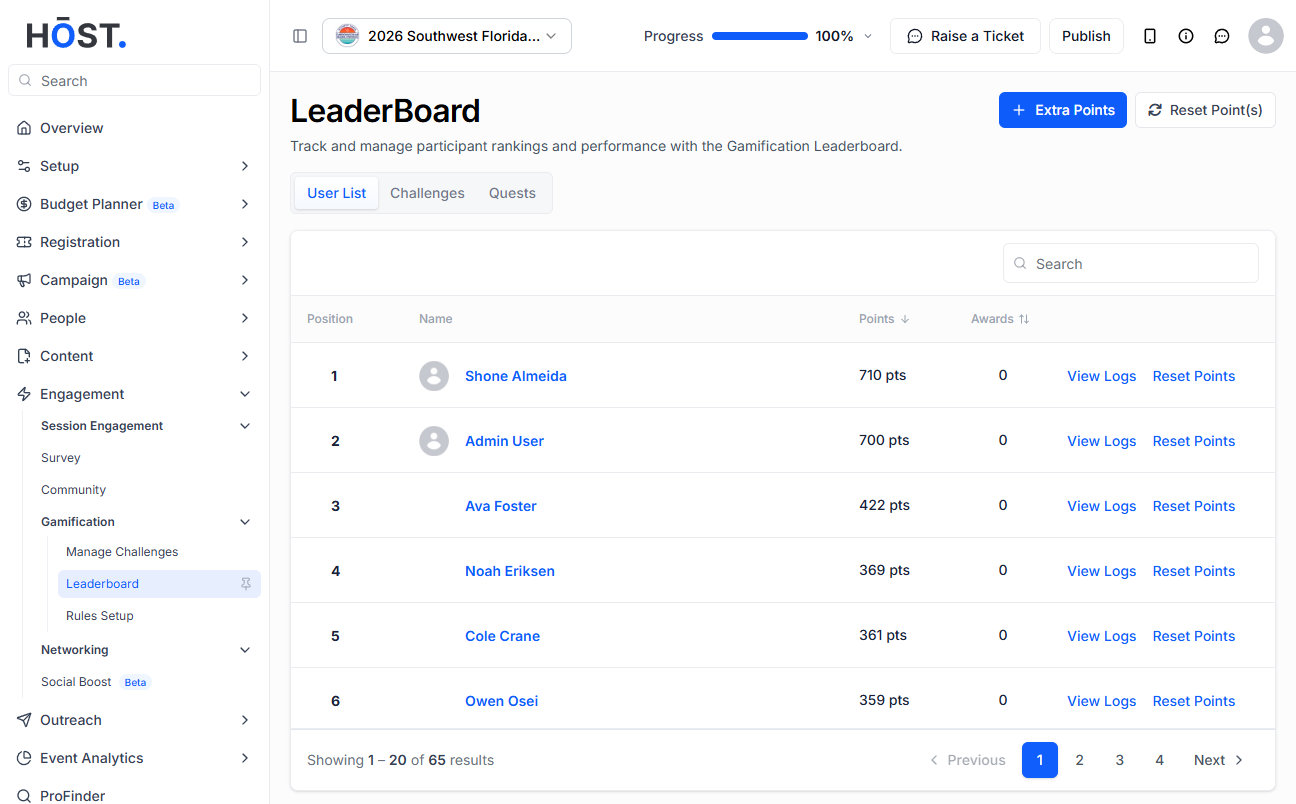
3: Open the Leaderboard to see everyone actively engaging, ranked by points. Use the User List, Challenges and Quests tabs to view scores; click “View Logs” for an attendee's or challenge's details, “Extra Points” to award more, “Reset Point(s)” to clear points, and “Export” to download the leaderboard data.
4: Switch to the Challenges/Quests tabs to manage points per challenge, and use “Rules Setup” in the Gamification menu to define the rules for your challenges.

