
HOST gives you a few different ways to handle check-ins depending on how your event is set up. You can manage everything through the admin panel before the event, then switch to the app on the day for fast, hands-on entry management. Here's how both work.
Head to app.hostlife.io and sign in with your admin credentials. From the manage event, select the event you want to manage and open the Attendees section from the left sidebar under People > Manage Attendees. Here you can view the full attendee list, edit registrations, and review check-in status before the event starts.
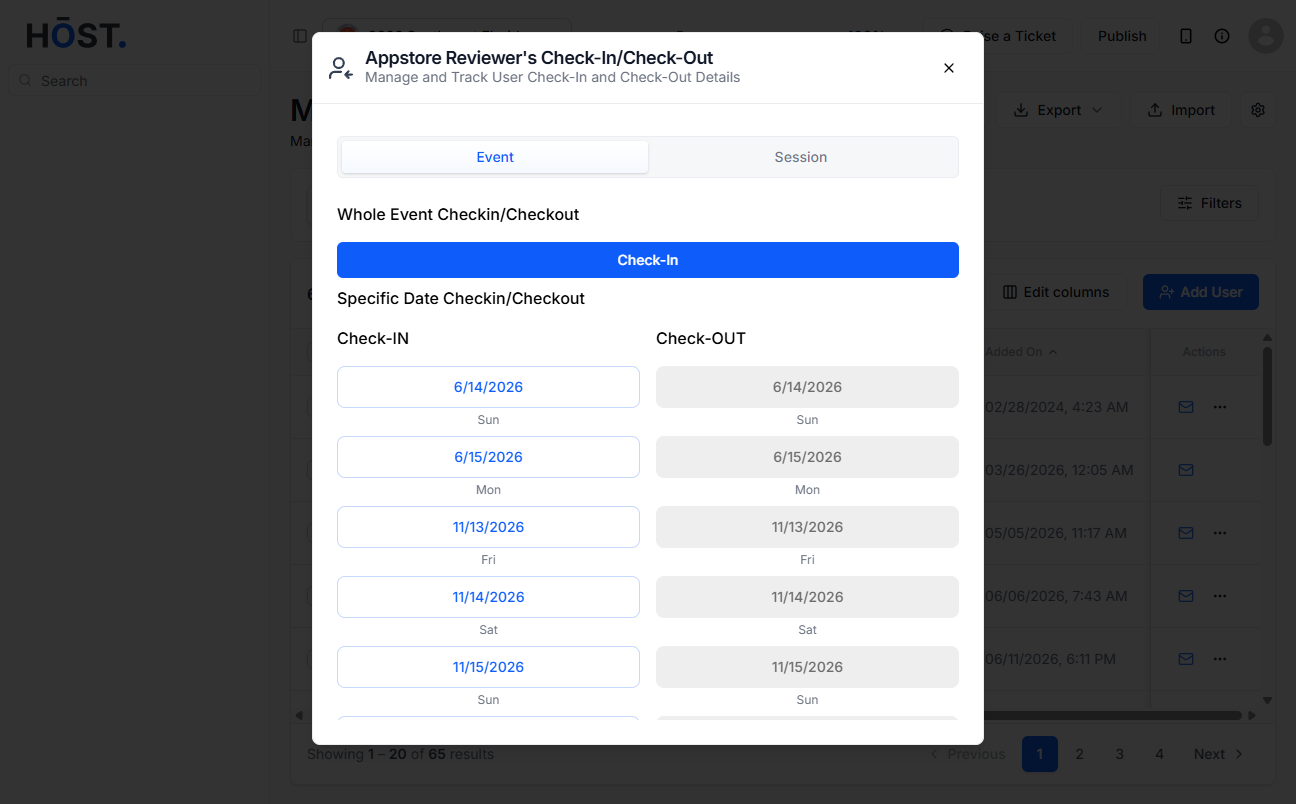
Download the HOST app on iOS or Android and log in using the same admin email and password you use on the admin panel. Once you're in, go to the side menu, tap Manage, then open the Manage Check-in option to get started. From there, scan an attendee's QR code or search their name manually to check them in instantly.
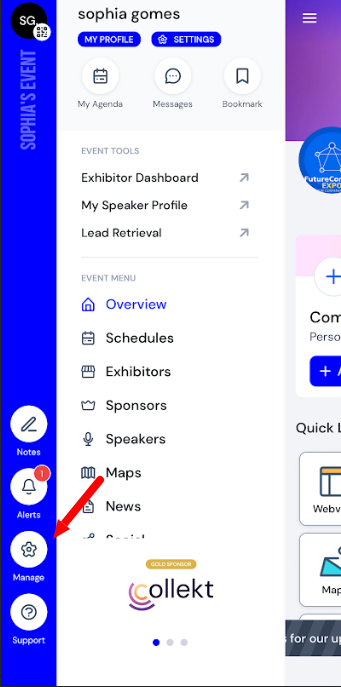
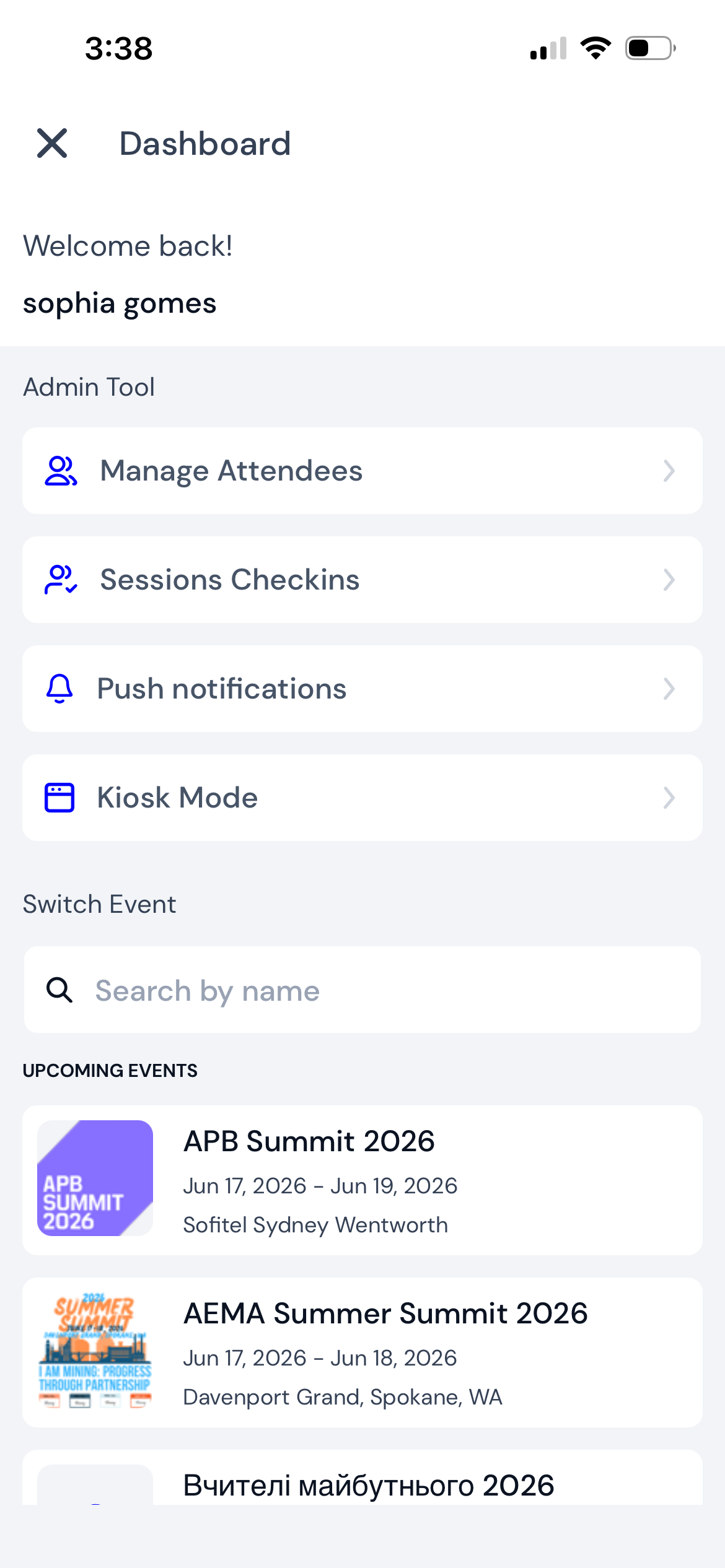
Once you're in the app, you have three ways to handle check-ins depending on your setup.
Q: Can multiple staff members check in attendees at the same time?
Yes. As long as each person logs in with their own admin or check-in manager credentials, they can all use the app simultaneously. Check-ins sync in real time so there's no risk of double-scanning.
Q: What happens if an attendee doesn't have their QR code?
You can search for attendees by name or email directly in the app. Tap the search icon on the check-in screen and type their details to find and check them in manually.
Q: Does the app work offline?
The app requires an internet connection to sync check-ins in real time. If you're expecting limited connectivity on-site, it's worth checking with your venue about Wi-Fi or using a mobile data connection as a backup.
Q: How do I set up kiosk mode?
Open the event in the app, go to the check-in section, and select Kiosk mode. The screen will switch to a self-service view that attendees can use to scan their own QR code. You can exit kiosk mode at any time with your admin PIN.
Q: Can I check in attendees to a specific session only, without marking them as checked in to the whole event?
Yes. Session check-in and event check-in are tracked separately. Use the Session check-in mode in the app to manage attendance for individual sessions without it affecting the overall event entry status.
Q: Where can I see a real-time overview of check-ins?
You can monitor check-in numbers live from the admin panel on the web. Head to your event dashboard and open the Attendees section — it updates automatically as check-ins happen through the app.
