
Your event URL is often the first thing people see before they even land on your event page. Having a clean, recognizable link makes it easier to share, looks more professional, and helps people trust they're in the right place. If the default URL doesn't quite fit your event or brand, HOST makes it easy to update it.
Log in to your HOST account and from the main dashboard, head over to the Setup section. That's where all the core configuration options for your event live.
Inside Setup, click on Basic Info. This section holds the foundational details about your event, including the URL settings.
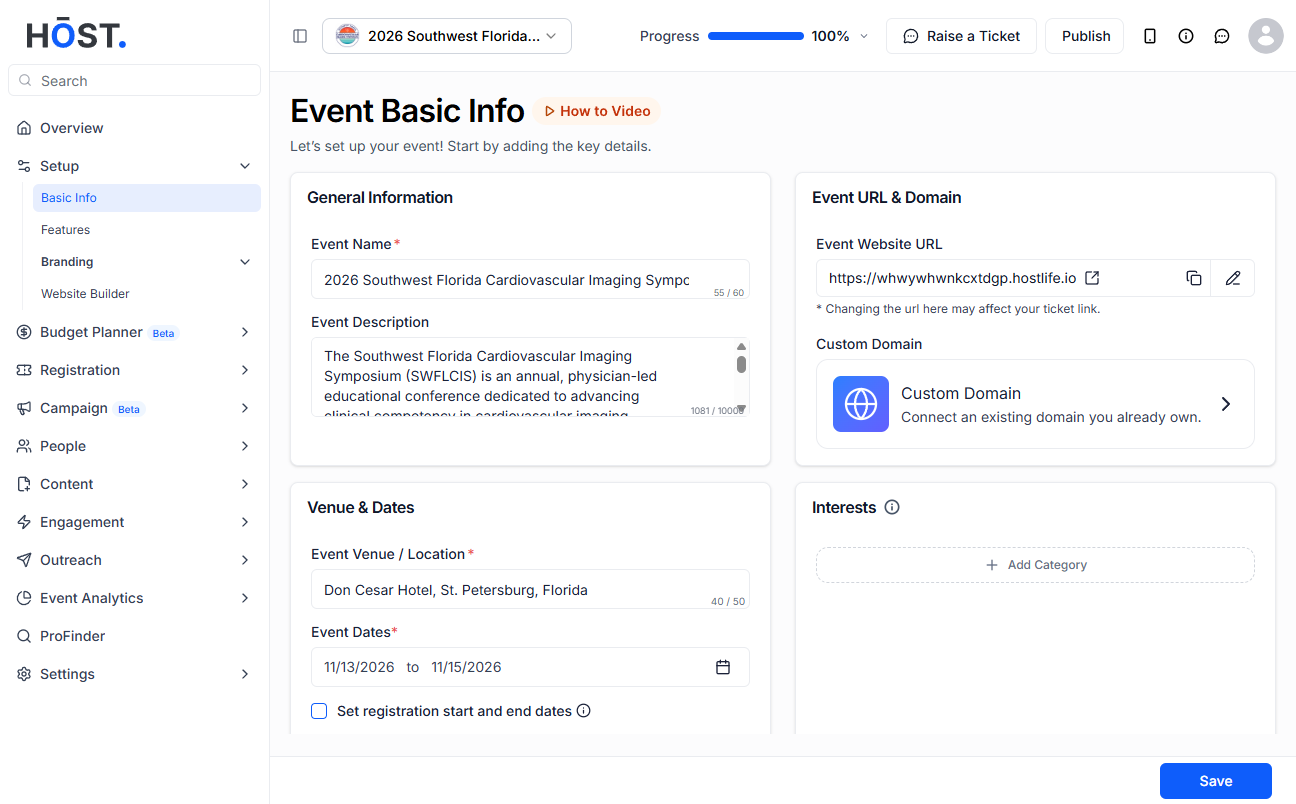
Scroll down until you see the Event URL and Domain area. This is where your current event URL is displayed and where you can make changes to it.
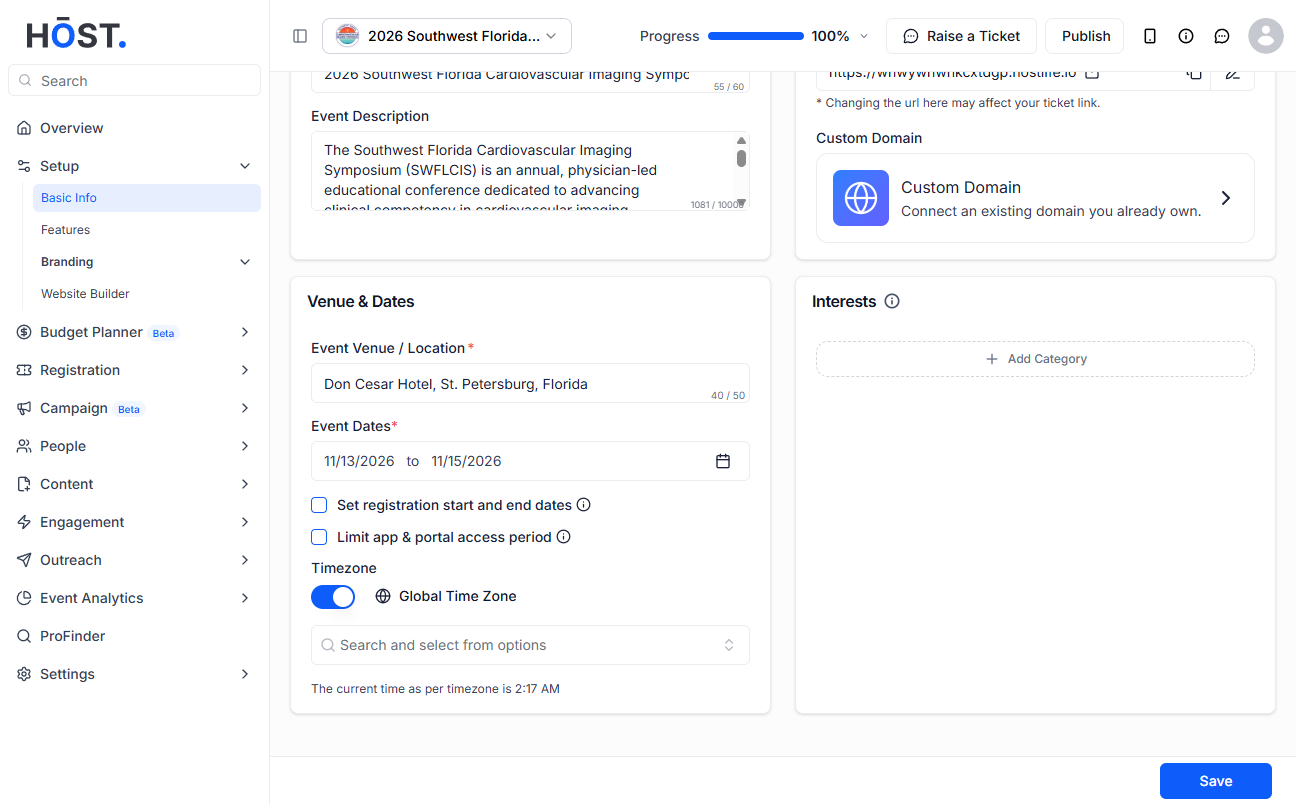
Next to your current URL, you'll see a small pencil icon. Click on it to unlock the field and start editing.
Clear the existing URL and type in the one you want. Keep it short, relevant to your event, and easy to remember. Avoid special characters or spaces.
Once you're happy with the new URL, click Save to apply the changes. The update happens right away.
After saving, copy the updated link and open it in a browser to make sure everything looks good and the event landing page loads correctly.
Q: Will changing my event URL break any existing links?
Yes, it will. If you've already shared the old URL with attendees or on social media, those links will stop working once you update it. Make sure to notify anyone who had the old link and share the new one with them.
Q: Can I use any name I want for my event URL?
You can choose most names, but there are a few things to keep in mind. The URL should only contain letters, numbers, and hyphens. Spaces and special characters like ampersands or hashtags are not allowed. It also needs to be unique across HOST.
Q: Is there a limit to how many times I can change the URL?
HOST doesn't restrict how many times you can update your event URL, but it's best to set it early and stick with it. Frequent changes can confuse attendees and cause broken links.
Q: Can I set up a custom domain instead of using the HOST subdomain?
Yes, HOST supports custom domains. You can connect your own domain to your event page from the same Event URL and Domain section. This gives your event a fully branded web address.
Q: The URL I want is already taken. What should I try?
Try adding your organization name, the year, or the city to make it unique. For example, if techsummit is taken, something like techsummit2025 or techsummit-london would work just fine.
Q: Do I need to republish my event after changing the URL?
The URL update applies immediately after saving. You don't need to go through a full republish, but it's always a good idea to test the new link yourself before sharing it widely.
Q: What is the Custom Domain feature and how is it different from just changing the URL?
Changing your event URL only updates the name that appears before the hostlife.io part of the link. The Custom Domain feature goes a step further — instead of your event sitting on an hostlife.io address, it can live on your own domain entirely. So rather than something like hostlife.io/your-event, attendees would see something like events.yourcompany.com. It gives your event a much more branded and professional feel. That said, this is a premium feature and needs to be added to your plan before you can use it. If you're interested in enabling it, just get in touch with our sales team and they'll walk you through the options.
