HOST offers a user-friendly platform for creating and managing meetings. The meeting creation interface on HOST provides you with a comprehensive set of options to customize your meeting settings.
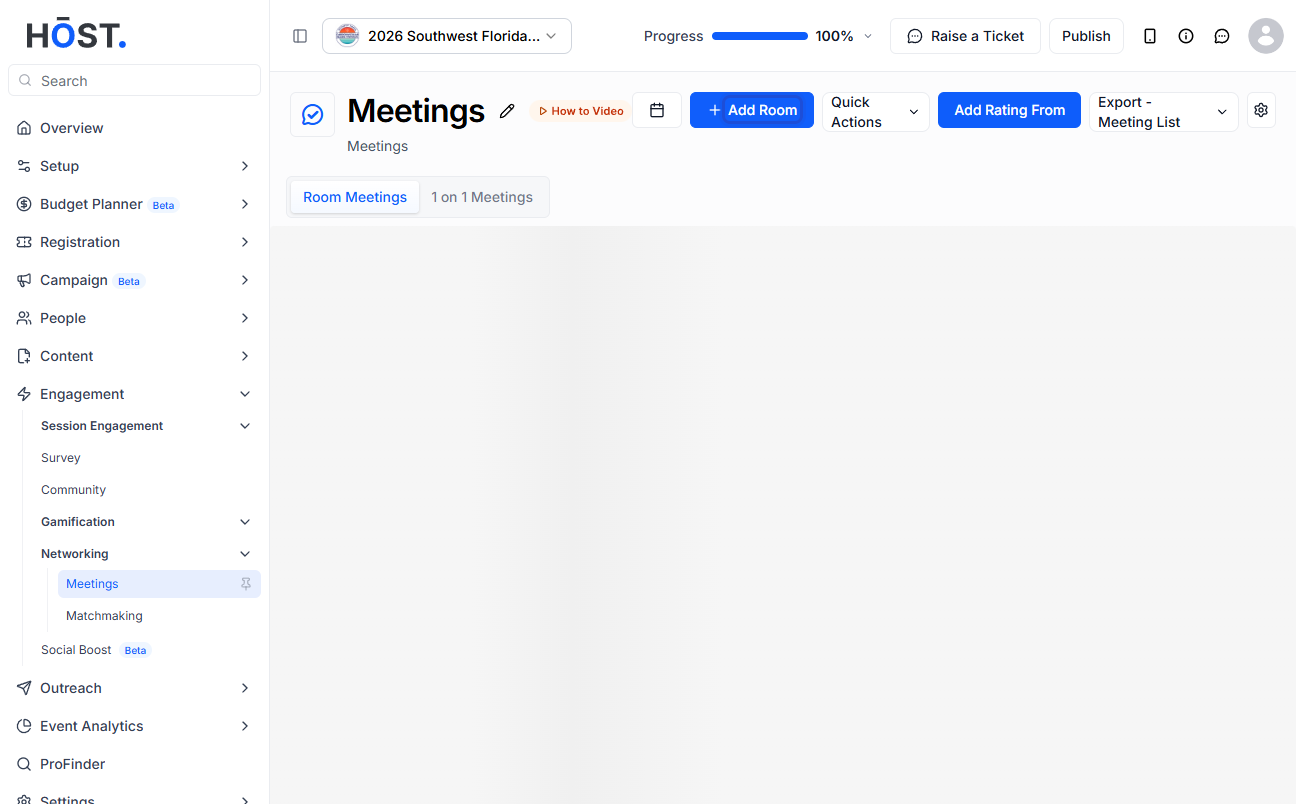
1: Go to Networking > Meetings. Use the calendar/date control to set the meeting date range, and enable or disable individual dates to match your event schedule.
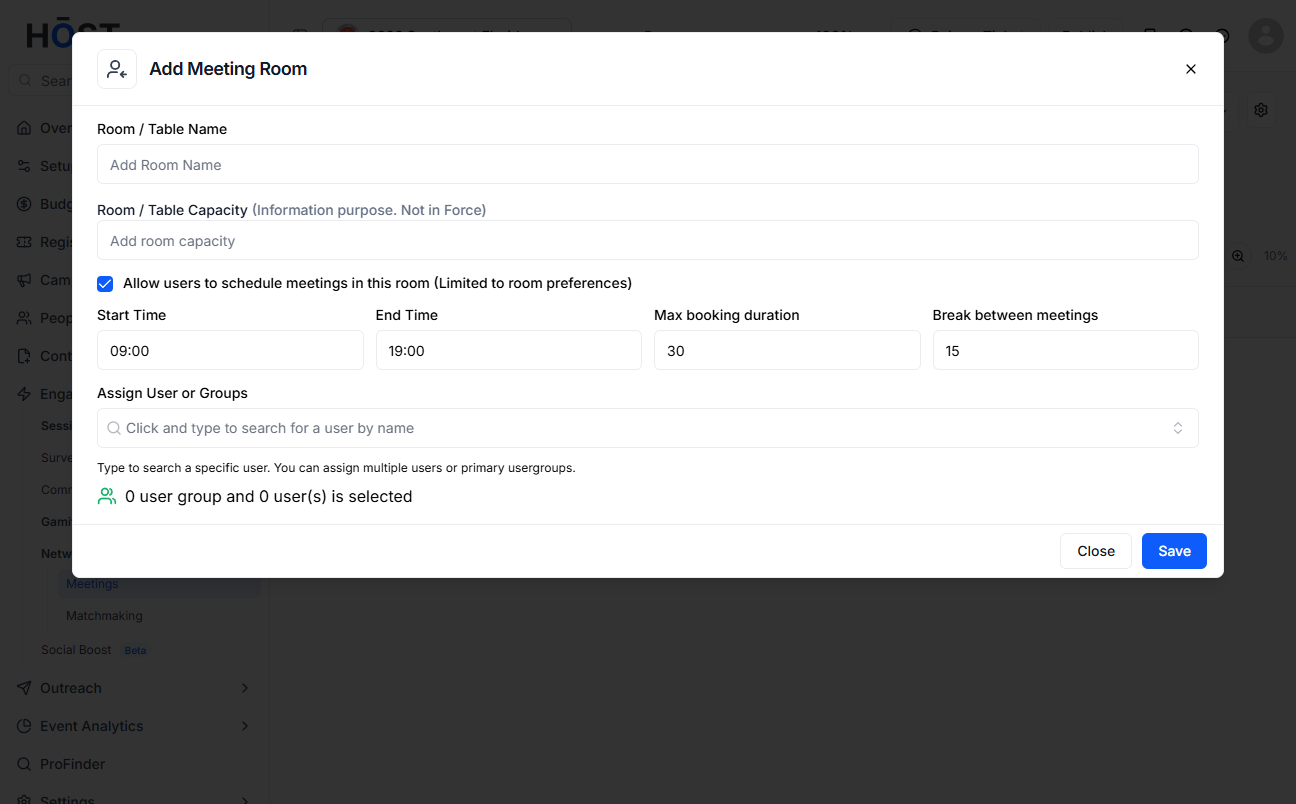
2: Click “Add Room” and fill in the room: a name, the capacity, whether attendees may self-schedule, the available Start and End times, the Max booking duration and the Break between meetings, then assign the user groups who can access it and click “Save”.
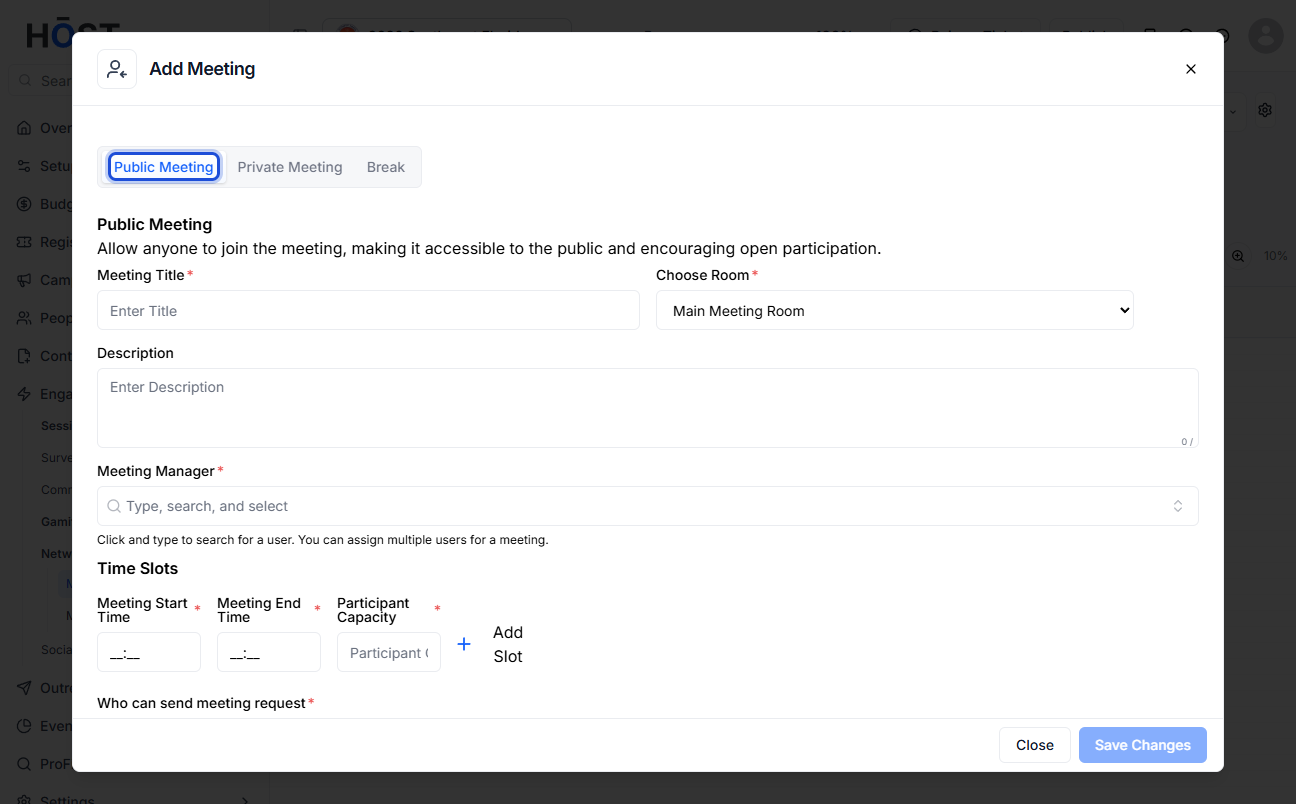
3: Click “New Meeting”, pick the room and date, enter a Meeting Title, set the start and end time, add a description, and assign one or more Meeting Managers.
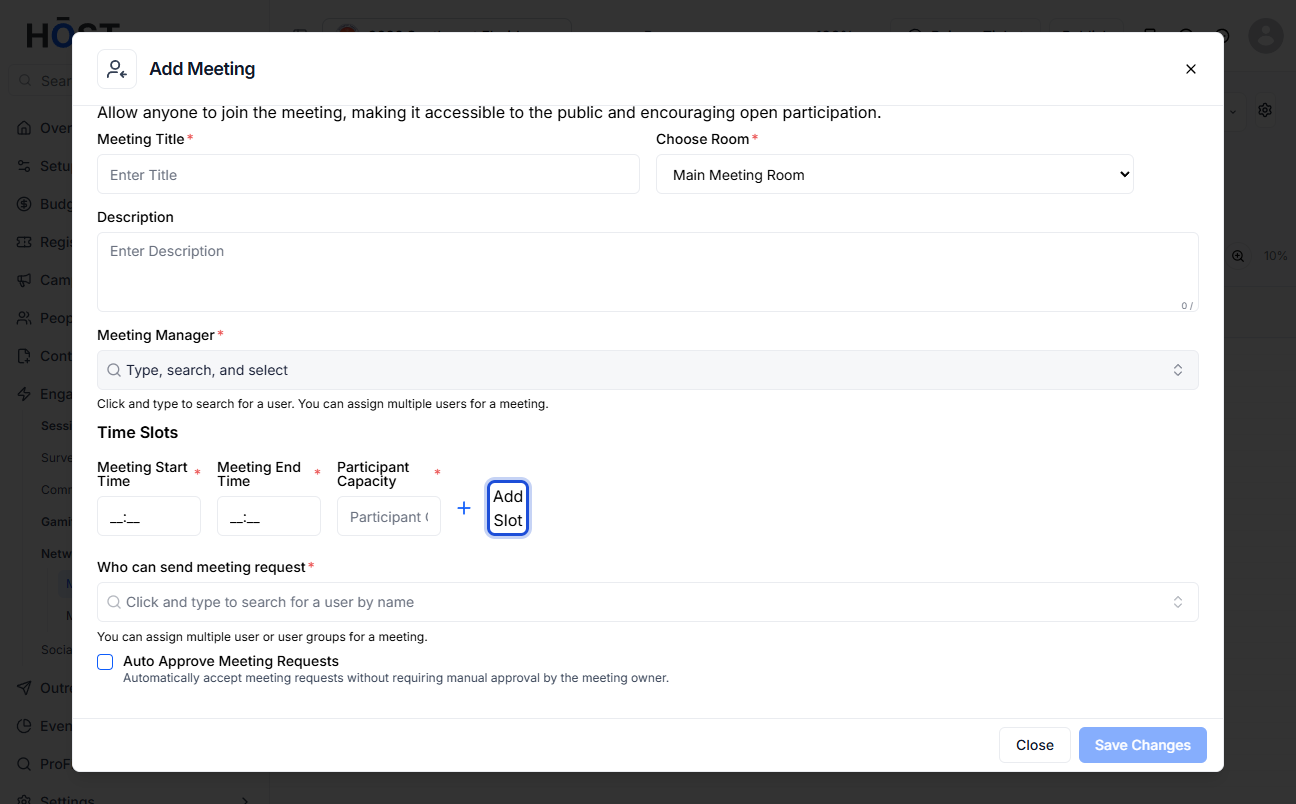
4: Choose who can request/attend the meeting (by user group) and whether requests are auto-approved, then click “Save Changes”.
5: Use “Add Break” to add breaks between meetings, and the Meeting Settings panel to control attendee booking duration, restrict-to-added-rooms, auto-confirm of requests and slot visibility. You can also export meetings to Excel or import multiple meetings from an Excel file.

